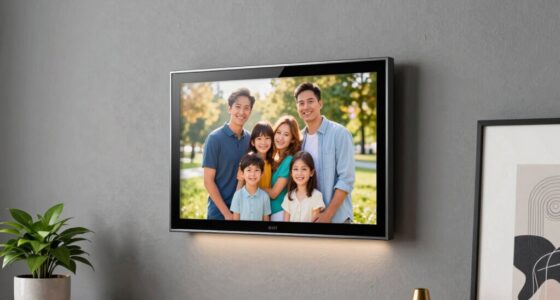

Digital picture frames have quietly become the easiest way to keep distant family connected, but the category splits into two very different camps: app-based frames like the Frameo and Aura models that let relatives send photos from anywhere, and simpler standalone frames that just play what you load onto them. My top overall pick is the Frameo 10.1 Inch WiFi Digital Picture Frame with 32GB Memory, because it combines a sharp 1280×800 IPS touchscreen, generous built-in storage, and the friendliest photo-sharing app for less-tech-savvy grandparents. The Aura Carver stands out for design-conscious buyers who want a frame that looks like home decor, while the 15.6-inch Frameo models are the ones to beat if you want a big, room-filling display or a wall-mounted setup. The main tradeoffs you’ll face are screen size versus placement flexibility, app ecosystems versus simple USB loading, and polished hardware versus raw value. Keep reading for the full breakdown of all 15 frames.

Get the little things that make your day delivered free with Prime
- Fast, free delivery on millions of items
- Prime Video, Amazon Music and more included
- Member-only deals all year
Key Takeaways
- The Frameo app ecosystem dominates this lineup — 9 of 15 frames use it — which makes app familiarity and per-frame hardware quality the real differentiators, not the software itself.
- Aura‘s Carver models are the only frames here with genuinely premium industrial design, but they trade away touchscreen controls and local storage flexibility for that polish.
- The jump from 10.1 to 15.6 inches changes the product category entirely: large Frameo models work as wall art or calendar-command centers, while 10-inch frames suit desks and shelves.
- 32GB of built-in storage was the standard among Frameo-based picks and comfortably holds tens of thousands of compressed photos, making expandable storage a nice-to-have rather than a dealbreaker.
- Auto-rotate and IPS panel quality separated the winners from the filler — frames without both force you into manual cropping and wash out at off angles.
| 1280×800 HD Touchscreen Digital Picture Frame |  | Best for Flexible Placement | Display: 1280×800 HD IPS touchscreen | Photo Sharing: Dedicated app, SD card, or USB cable | Storage: Built-in storage for thousands of photos | VIEW LATEST PRICE | See Our Full Breakdown |
| Aura Carver 10-Inch HD Digital Picture Frame, Cool White |  | Best Premium Software Experience | Display: 10-inch HD, calibrated | Color: Cool White | Storage: Unlimited free photo and video storage | VIEW LATEST PRICE | See Our Full Breakdown |
| 64GB 15.6″ Frameo Digital Picture Frame WiFi, Large Electronic Photo Frames |  | Best Big-Screen Display | Display: 15.6-inch 1920×1080 Full HD IPS touchscreen | Viewing Angle: 178° | Storage: 64GB built-in (~100,000 photos), expandable via SD/USB | VIEW LATEST PRICE | See Our Full Breakdown |
| Frameo 10.1 Inch WiFi Digital Picture Frame with HD IPS Touch Screen and 32GB Memory |  | Best Gift for Grandparents | Screen Size: 10.1 inches | Resolution: 1280×800 HD IPS touchscreen | Storage: 32GB (over 80,000 photos) | VIEW LATEST PRICE | See Our Full Breakdown |
| Aura Digital HD Picture Frame (10″, Carver Black) |  | Best Gift-Ready Pick | Screen Size: 10 inches | Color: Carver Black | Resolution: HD with auto-brightness | VIEW LATEST PRICE | See Our Full Breakdown |
| 32GB FRAMEO 10.1 Inch Smart WiFi Digital Photo Frame |  | Best for Busy Households | Screen Size: 10.1 inches | Resolution: 1280 x 800 IPS LCD | Storage: 32GB built-in, micro SD expandable | VIEW LATEST PRICE | See Our Full Breakdown |
| Skylight Digital Picture Frame, 10″ Black |  | Best Gift-Giving Pick | Screen Size: 10 inches | Resolution: 1280 x 800, 16:9 aspect ratio | Storage: 8GB internal, cloud-based storage | VIEW LATEST PRICE | See Our Full Breakdown |
| Frameo 10.1″ Digital Picture Frame, WiFi Digital Photo Frame 32GB (Flyruit) |  | Best for Offline Sharing | Screen Size: 10.1 inches | Resolution: 1280 x 800 IPS touchscreen | Storage: 32GB built-in, up to 32GB via micro SD or USB-C drive | VIEW LATEST PRICE | See Our Full Breakdown |
| Frameo 10.1 Inch WiFi Digital Picture Frame with 32GB Memory, Wall Mountable |  | Best Wall-Mount Option | Screen Size: 10.1 inches | Resolution: 1280 x 800 IPS touchscreen | Storage: 32GB built-in, micro SD up to 32GB (FAT32) | VIEW LATEST PRICE | See Our Full Breakdown |
| Anna Bella Digital Picture Frame 10.1 Inch, 32GB, AiMOR App |  | Best Expansion Capacity | Screen Size: 10.1 inches | Resolution: 1280 x 800 IPS touchscreen | Storage: 32GB built-in, SD card expansion up to 128GB | VIEW LATEST PRICE | See Our Full Breakdown |
| 15.6″ Digital Calendar Wall Touch Screen, Chore Chart, Photo Frame |  | Best Hybrid Pick for Family Organization | Display size: 15.6 inches | Screen type: Glare-free HD touchscreen | Storage: 32GB, expandable | VIEW LATEST PRICE | See Our Full Breakdown |
| AEEZO Digital Picture Frame, 10.1 Inch with 32GB Memory |  | Best for Grandparent Gifting | Display size: 10.1 inches | Resolution: 1280 x 800 IPS | Storage: 32GB internal, up to 64GB SD | VIEW LATEST PRICE | See Our Full Breakdown |
| Frameo 10.1-Inch Wi-Fi Digital Photo Frame with HD Touchscreen |  | Best No-Frills Sharing Frame | Display size: 10.1 inches | Resolution: 1280 x 800 | Aspect ratio: 16:10 | VIEW LATEST PRICE | See Our Full Breakdown |
| Frameo Digital Picture Frame, 10.1” WiFi, 32GB |  | Best for App-Avoiding Seniors | Display size: 10.1 inches | Resolution: 1280 x 800 | Aspect ratio: 16:10 | VIEW LATEST PRICE | See Our Full Breakdown |
| Frameo 15.6” Digital Photo Frame WiFi Large Display |  | Best Large-Screen Premium Pick | Display size: 15.6 inches | Resolution: 1920 x 1080 FHD IPS | Aspect ratio: 16:9 | VIEW LATEST PRICE | See Our Full Breakdown |
| digital picture frame | Storage | Resolution | Connectivity |
|---|---|---|---|
| 1280×800 HD Touchscreen Digita | Built-in storage for thousands of photos | — | — |
| Aura Carver 10-Inch HD Digital | Unlimited free photo and video storage | — | — |
| 64GB 15.6" Frameo Digital Pict | 64GB built-in (~100,000 photos), expandable via SD/USB | — | Wi-Fi (2.4GHz only), Frameo app for iOS and Android |
| Frameo 10.1 Inch WiFi Digital | 32GB (over 80,000 photos) | 1280×800 HD IPS touchscreen | Wi-Fi with Frameo app sharing |
| Aura Digital HD Picture Frame | Unlimited (free) | HD with auto-brightness | Wi-Fi, Bluetooth, cloud services |
| 32GB FRAMEO 10.1 Inch Smart Wi | 32GB built-in, micro SD expandable | 1280 x 800 IPS LCD | Wi-Fi via Frameo app (iOS and Android) |
| Skylight Digital Picture Frame | 8GB internal, cloud-based storage | 1280 x 800, 16:9 aspect ratio | Wi-Fi, unique email address for photo delivery |
| Frameo 10.1" Digital Picture F | 32GB built-in, up to 32GB via micro SD or USB-C drive | 1280 x 800 IPS touchscreen | 2.4GHz Wi-Fi via Frameo app, plus offline USB-C and card transfer |
| Frameo 10.1 Inch WiFi Digital | 32GB built-in, micro SD up to 32GB (FAT32) | 1280 x 800 IPS touchscreen | Wi-Fi via Frameo app (iOS and Android) |
| Anna Bella Digital Picture Fra | 32GB built-in, SD card expansion up to 128GB | 1280 x 800 IPS touchscreen | Wi-Fi via AiMOR app (iOS and Android) |
| 15.6" Digital Calendar Wall To | 32GB, expandable | — | — |
| AEEZO Digital Picture Frame | 32GB internal, up to 64GB SD | 1280 x 800 IPS | — |
| Frameo 10.1-Inch Wi-Fi Digital | 16GB built-in, Micro SD up to 32GB | 1280 x 800 | — |
| Frameo Digital Picture Frame | 32GB internal plus external card support | 1280 x 800 | Wi-Fi, Micro SD, USB-C drive, USB-C computer link |
| Frameo 15.6” Digital Photo Fr | 32GB internal, up to 32GB external | 1920 x 1080 FHD IPS | Wi-Fi, full-size SD, USB drive |
More Details on Our Top Picks
1280×800 HD Touchscreen Digital Picture Frame
This frame earns its spot for placement freedom that most competitors don’t offer — it works as a tabletop unit or mounts on a wall, and the scheduled sleep mode keeps it from burning bright at 3 a.m. Photo import is refreshingly flexible too: unlike the Aura Carver, which funnels everything through its app, this model accepts SD cards and USB transfers alongside wireless sharing. That offline path matters for households with spotty Wi-Fi or relatives who prefer not to manage yet another app. The shared album feature lets the whole family contribute, and the privacy certifications are a genuine differentiator at this tier. The tradeoff is vagueness: the storage capacity isn’t specified, so heavy photographers may prefer the Frameo 15.6-inch with a stated 64GB. App-based sharing also demands a stable internet connection.
Pros:- Multiple import paths: app, SD card, and USB
- IPS touchscreen with wide viewing angles
- Shared albums let family members upload directly
- Wall-mount or tabletop placement with scheduled sleep mode
Cons:- Built-in storage capacity is not disclosed, making longevity hard to judge
- App-based sharing requires a reliable internet connection
Best for: Buyers who want both wall and tabletop options plus offline SD/USB import for Wi-Fi-averse relatives
Not ideal for: Photographers with massive libraries, since the unspecified built-in storage could fill up faster than the 64GB Frameo
- Display:1280×800 HD IPS touchscreen
- Photo Sharing:Dedicated app, SD card, or USB cable
- Storage:Built-in storage for thousands of photos
- Placement:Tabletop or wall-mounted
- Sleep Mode:Customizable power schedule
- Privacy:GDPR, CCPA, and PSTI certified
- Warranty:One year
Our verdict“A solid choice if placement flexibility and offline import options matter more than guaranteed storage headroom.”
Aura Carver 10-Inch HD Digital Picture Frame, Cool White
What separates the Carver from budget Frameo alternatives isn’t the panel — it’s the ecosystem. Unlimited free cloud storage with no subscription removes the capacity anxiety that plagues every 32GB competitor, and setup genuinely takes about a minute, which matters when gifting to less tech-savvy relatives. The calibrated display with automatic brightness adjusts to room lighting without any fiddling, something the generic 1280×800 touchscreen frame leaves entirely manual. Sharing via the Aura app feels polished, including iOS Live Photos and even Windows screen mirroring. The compromises are real, though: everything routes through Wi-Fi, with no SD card or USB fallback like the Frameo models offer, and video clips cap at 30 seconds — shorter than what you’d get loading files directly onto a Frameo via storage card.
Pros:- Unlimited free photo and video storage with no subscription
- Setup in about one minute over Wi-Fi
- Automatic brightness and on/off scheduling
- Accepts photos and videos from family via multiple channels
Cons:- No SD card or USB import path — requires Wi-Fi for everything
- Video clips limited to 30 seconds
Best for: Buyers who want a zero-maintenance, subscription-free experience and don’t mind living entirely in Aura’s app ecosystem
Not ideal for: Anyone with slow or unreliable Wi-Fi, or those wanting to play longer videos from local storage
- Display:10-inch HD, calibrated
- Color:Cool White
- Storage:Unlimited free photo and video storage
- Setup:Wi-Fi setup in about one minute
- Video Support:Up to 30 seconds with sound
- Compatibility:iOS Live Photos, Windows PC wireless screen mirroring
Our verdict“Worth the premium for buyers who value effortless software over local storage control.”
64GB 15.6″ Frameo Digital Picture Frame WiFi, Large Electronic Photo Frames
If the 10-inch frames in this lineup feel like appetizers, this is the main course. The 15.6-inch 1920×1080 Full HD IPS panel is the sharpest display here — the 10.1-inch Frameo (B0D8JDPKKS) tops out at 1280×800, and that difference is visible from across a room, which is exactly where a frame this size lives. Storage is a standout: 64GB built-in, rated for roughly 100,000 photos, plus SD and USB expansion for backup and offline transfer. The 178° viewing angle, auto-rotation, and wall-mount option make it genuinely furniture-like rather than gadget-like. Quirks abound, though: only 2.4GHz Wi-Fi is supported, the app caps video uploads at 15 seconds, larger SD cards may not work, and the Type-C power connector demands careful handling to avoid damaging the port.
Pros:- Largest and sharpest display here: 15.6-inch 1080p IPS with 178° viewing angle
- 64GB built-in storage plus SD/USB expansion and offline transfer
- Auto-rotate for landscape or portrait, wall-mountable
- Reply function lets recipients send emoji reactions to shared photos
Cons:- 2.4GHz Wi-Fi only, with 15-second app video limits
- Storage card compatibility is finicky — 64GB+ cards may fail and must be FAT32
- Type-C power port can be damaged if unplugged at the wrong angle
Best for: Buyers who want a statement piece for a living room or hallway wall with the largest, sharpest screen in the roundup
Not ideal for: Desks, nightstands, or small shelves — the footprint is enormous compared to 10-inch models, and 5GHz-only networks won’t connect
- Display:15.6-inch 1920×1080 Full HD IPS touchscreen
- Viewing Angle:178°
- Storage:64GB built-in (~100,000 photos), expandable via SD/USB
- Connectivity:Wi-Fi (2.4GHz only), Frameo app for iOS and Android
- Supported Formats:JPG, JPEG, BMP, PNG, MP4
- Placement:Tabletop or wall-mounted, auto-rotate
- Extras:Built-in speaker, weather/clock display, emoji replies
- Dimensions:Approx. 15.43 x 9.61 inches
Our verdict“The pick when screen size and storage capacity are the priority and you can live with its connectivity quirks.”
Frameo 10.1 Inch WiFi Digital Picture Frame with HD IPS Touch Screen and 32GB Memory
This is the model I’d hand to a grandmother who has never connected a device to Wi-Fi. The senior-friendly interface, calendar syncing, and weather display give it a practical daily purpose beyond photo slideshows, and the 365-day replacement service provides peace of mind for a gift purchase. Sharing is locked down to invited family and friends only, so random photos can’t appear — a real concern with more open platforms. Compared with the Aura Carver, the 32GB local storage means no dependence on cloud infrastructure, and unlike the 15.6-inch Frameo it fits comfortably on a side table. Limits remain: app video uploads are capped at 15 seconds unless you load a microSD card, and that card must be 32GB FAT32 — the expansion ceiling is genuinely low by current standards.
Pros:- Interface designed specifically for seniors and grandparents
- Privacy controls restrict sharing to invited users only
- 32GB storage holds over 80,000 photos
- Calendar sync, collage modes, and weather display add daily utility
Cons:- App video uploads limited to 15 seconds without a microSD card
- MicroSD expansion capped at 32GB FAT32
- Requires Wi-Fi for remote sharing features
Best for: Families gifting an older relative a first smart frame with simple controls and invite-only sharing
Not ideal for: Video-heavy users or anyone wanting large expandable storage — 15-second clips and a 32GB card ceiling are restrictive
- Screen Size:10.1 inches
- Resolution:1280×800 HD IPS touchscreen
- Storage:32GB (over 80,000 photos)
- Connectivity:Wi-Fi with Frameo app sharing
- Aspect Ratio:16:10
- Frame Material:Plastic, Classic Black
- Power Source:Corded electric
- Warranty:365-day replacement service
Our verdict“The safest gift pick in the roundup for older recipients, balancing simplicity, privacy, and generous built-in storage.”
Aura Digital HD Picture Frame (10″, Carver Black)
The black Carver shares its Cool White sibling’s core strengths — unlimited free storage, one-minute setup, auto-brightness — but its real differentiator is gifting logistics: the packaging is designed for presents, and preload options let you load photos before wrapping it, so the recipient opens a frame already displaying family memories. That’s something no Frameo model in this roundup replicates as elegantly. Sharing via app, email, or cloud services gives senders flexibility, and Bluetooth plus wireless screen mirroring round out connectivity. Like the white Carver, though, it’s an all-Wi-Fi device — no card slots exist — and videos stop at 30 seconds. Buyers choosing between the two Carvers are really choosing color; buyers choosing between this and the 10.1-inch Frameo are choosing cloud convenience over local storage.
Pros:- Gift-ready packaging with photo preloading before delivery
- Unlimited free storage with no subscription or hidden fees
- One-minute setup with automatic brightness adjustment
- Multiple sharing channels: app, email, and cloud services
Cons:- Requires Wi-Fi for nearly all functionality, with no local storage option
- Video playback capped at 30 seconds per clip
Best for: Gift-givers who want to preload photos before a birthday or holiday so the frame works beautifully out of the box
Not ideal for: Anyone planning to transfer large video libraries or use the frame without dependable Wi-Fi
- Screen Size:10 inches
- Color:Carver Black
- Resolution:HD with auto-brightness
- Storage:Unlimited (free)
- Connectivity:Wi-Fi, Bluetooth, cloud services
- Supported Media:Photos, videos up to 30s with sound, Live Photos
- Features:Auto-brightness, portrait pairing, wireless screen mirroring, preload gifting
Our verdict“The most thoughtful wrapped-gift option here, provided the recipient has solid Wi-Fi and modest video needs.”
32GB FRAMEO 10.1 Inch Smart WiFi Digital Photo Frame
What separates this Akimart frame from the sea of nearly identical 10.1-inch Frameo competitors is its calendar sync with iCloud, Google, Outlook and Yahoo, which turns it into a genuine household hub rather than just a slideshow device. Photos arrive in seconds through the Frameo app, and the collage mode showing up to six photos at once plus emoji reactions gives it a livelier, more social feel than the Flyruit Frameo frame, which sticks to basic sharing. The 32GB of built-in memory matches what most rivals offer, and micro SD expansion covers overflow. The tradeoff: the extras add menu complexity that less tech-savvy relatives may find fiddly, and the matte-black plastic build feels less premium than the Aura Carver’s design language.
Pros:- Calendar sync with iCloud, Google, Outlook and Yahoo displays schedules alongside photos
- Collage mode shows up to six photos at once in customizable layouts
- Emoji reactions and custom albums make photo sharing interactive
- 32GB built-in memory plus micro SD expansion for large libraries
Cons:- Feature-heavy interface is more complex than simpler Frameo rivals like the Flyruit
- Plastic construction feels less refined than premium options like the Aura Carver
Best for: Families who want a shared frame that doubles as a calendar and messaging hub for organized households
Not ideal for: Grandparents who want zero menus to dig through, since the extra features add setup and navigation complexity
- Screen Size:10.1 inches
- Resolution:1280 x 800 IPS LCD
- Storage:32GB built-in, micro SD expandable
- Connectivity:Wi-Fi via Frameo app (iOS and Android)
- Orientation:Auto-rotate portrait and landscape
- Formats:JPG/JPEG/BMP/PNG photos, MP4 video (15 sec via app)
- Extras:Calendar sync, collage mode, emoji reactions, weather and clock display
Our verdict“This pick makes the most sense for organized families who want a photo frame that also keeps everyone’s schedule visible.”
Skylight Digital Picture Frame, 10″ Black
Skylight earns its spot for the single smartest gifting feature in this roundup: Gift Mode lets you preload and personalize photos before the recipient even unboxes it. Compared with the Flyruit Frameo frame, which requires the giftee to connect Wi-Fi before anything shows up, Skylight delivers a plug-in-and-smile moment right out of the box — a meaningful difference when the recipient is a grandparent who dreads setup screens. Sharing runs through a unique Skylight email address, so faraway relatives can send photos without installing anything, and cloud storage removes SD-card housekeeping entirely. The compromises are real, though: 8GB of local storage is the smallest in this lineup, there’s no card slot for offline expansion, and the polished experience comes at a premium over functionally similar Frameo models.
Pros:- Gift Mode preloads photos so the frame works instantly upon unboxing
- Email-based sharing needs no app installation for senders
- Cloud-based storage eliminates SD card management
- Offline mode plays existing photos without Wi-Fi
- Clean, elegant design with simple touchscreen operation
Cons:- Only 8GB internal storage with no card slot for expansion
- Priced higher than comparable Frameo frames with four times the memory
- Wi-Fi required to receive or upload any new photos
Best for: Gift-givers sending a frame to elderly relatives who should see photos the moment they plug it in
Not ideal for: Budget-focused buyers or anyone wanting local storage control, since capacity is limited and there’s no SD slot
- Screen Size:10 inches
- Resolution:1280 x 800, 16:9 aspect ratio
- Storage:8GB internal, cloud-based storage
- Connectivity:Wi-Fi, unique email address for photo delivery
- Controls:Touchscreen, app control
- Power:Corded electric
- Special Features:Gift Mode, offline playback mode
Our verdict“If you’re mailing a frame to someone who should never touch a settings menu, this is the one to send.”
Frameo 10.1″ Digital Picture Frame, WiFi Digital Photo Frame 32GB (Flyruit)
Most frames in this category assume Wi-Fi is a given; the Flyruit wisely builds around the times it isn’t. Alongside standard Frameo app sharing, it supports photo transfer with no Wi-Fi at all — via micro SD card, USB-C drive, or a USB-C cable straight from a Windows computer. That makes it a stronger choice than the Akimart Frameo frame for relatives with unreliable internet or anyone who’d rather sideload a decade of photos than upload them. Storage is generous too: 32GB internally plus another 32GB via card, and the Greeting feature sends themed photo messages for birthdays. The drawbacks are worth weighing: it only connects to 2.4GHz networks, the USB transfer path is Windows-only, and like most budget Frameo clones the bezel design won’t win any style contests against the Aura Carver.
Pros:- Full offline sharing via micro SD, USB-C drive, or USB-C cable from a computer
- 32GB built-in plus 32GB expandable storage holds over 10,000 photos
- Greeting feature sends themed photo messages for special occasions
- Compatible with the existing Frameo app, so relatives already using it need no new downloads
Cons:- Only supports 2.4GHz Wi-Fi networks
- Computer transfer works with Windows only
- Generic design lags behind premium rivals like the Aura Carver
Best for: Buyers with spotty Wi-Fi or relatives who prefer loading photos from a card instead of an app
Not ideal for: Households on 5GHz-only networks, or Mac users who need the computer transfer option
- Screen Size:10.1 inches
- Resolution:1280 x 800 IPS touchscreen
- Storage:32GB built-in, up to 32GB via micro SD or USB-C drive
- Connectivity:2.4GHz Wi-Fi via Frameo app, plus offline USB-C and card transfer
- Orientation:Auto-rotate portrait and landscape
- Formats:JPG/JPEG/BMP/PNG photos, MP4 video
- Special Features:Greeting messages, emoji reactions, sleep mode
Our verdict“This model is better suited than any other 10.1-inch pick here for people whose internet can’t be trusted — or avoided entirely.”
Frameo 10.1 Inch WiFi Digital Picture Frame with 32GB Memory, Wall Mountable
Nearly every 10.1-inch frame here is designed to sit on a table, which makes this Frameo unit’s wall-mountable design its defining advantage — it’s the pick for hallways, kitchens, or anywhere counter space doesn’t exist. Feature-wise it sits between rivals neatly: unlike the Flyruit, it can play videos of unlimited length when loaded from a micro SD card, since the 15-second cap applies only to app uploads, so full vacation clips are fair game. Storage claims run to roughly 40,000 photos across 32GB plus card expansion. The Danish-developed Frameo app is a genuine plus for privacy, restricting access to approved users only. On the downside, wall mounting means the power cord is permanently visible, and there’s nothing here beyond the standard feature set you’ll find on the AEEZO or Akimart for similar money.
Pros:- Wall-mountable design unique among the 10.1-inch options in this lineup
- No length limit on videos loaded via micro SD card
- Large capacity — roughly 40,000 photos across built-in and card storage
- Secure Frameo app restricts access to invited users only
Cons:- Constant power requirement makes the cord conspicuous when wall-mounted
- Feature set is standard for the category with no standout extras
Best for: Anyone wanting photos on the wall rather than a shelf, from gallery hallways to small kitchens
Not ideal for: Buyers seeking a standout feature set, since beyond mounting it mirrors what cheaper 10.1-inch Frameo frames already do
- Screen Size:10.1 inches
- Resolution:1280 x 800 IPS touchscreen
- Storage:32GB built-in, micro SD up to 32GB (FAT32)
- Mounting:Wall mountable, detachable table stand included
- Connectivity:Wi-Fi via Frameo app (iOS and Android)
- Video Support:MP4 — 15 seconds via app, unlimited via SD card
- Special Features:Auto-rotate, emoji reactions, captions, sleep mode
Our verdict“Choose this when wall placement is the plan and you want the same reliable Frameo sharing experience as the tabletop models.”
Anna Bella Digital Picture Frame 10.1 Inch, 32GB, AiMOR App
Where every Frameo-based frame in this roundup caps expansion at 32GB, the Anna Bella accepts SD cards up to 128GB on top of its 32GB internal memory — the most capacity flexibility among the 10.1-inch picks short of jumping to the 15.6-inch 64GB models. Its auto-brightness adjustment to ambient light is another differentiator; rivals like the Flyruit offer manual brightness and sleep timers but don’t adapt on their own, which matters for a bedroom frame that shouldn’t glow at full power at midnight. The AiMOR app handles sharing with captions and short videos, and the interface leans senior-friendly with large fonts. Tradeoffs exist: free sharing is limited to nine photos or one 15-second video per batch, and AiMOR’s user base is smaller than Frameo’s, so relatives with existing Frameo setups would need a second app.
Pros:- Supports SD card expansion up to 128GB, far beyond the 32GB cap of Frameo rivals
- Auto-brightness adapts to ambient light for comfortable nighttime viewing
- Senior-friendly interface with large fonts and sensitive touchscreen
- 1-year replacement service and lifetime technical support
Cons:- Free app sharing limited to 9 photos or one 15-second video per batch
- AiMOR ecosystem is smaller than Frameo, splitting families across two apps
Best for: Photo hoarders and multi-room households who want 160GB of combined capacity in a compact frame
Not ideal for: Families already standardized on the Frameo app, since AiMOR would mean managing a second sharing platform
- Screen Size:10.1 inches
- Resolution:1280 x 800 IPS touchscreen
- Storage:32GB built-in, SD card expansion up to 128GB
- Connectivity:Wi-Fi via AiMOR app (iOS and Android)
- Orientation:Auto-rotate portrait and landscape
- Smart Features:Auto-brightness, captions, emoji-style engagement
- Support:1-year replacement, lifetime technical support
Our verdict“This pick makes the most sense for buyers whose photo library outgrows what standard Frameo frames can hold.”
15.6″ Digital Calendar Wall Touch Screen, Chore Chart, Photo Frame
This Yemsd screen earns its spot by refusing to be just a photo frame. Where the Frameo 15.6-inch dedicates its full display to photos, this model treats the slideshow as a secondary mode behind a family command center: shared Google, Outlook, and iCloud calendars, meal planning, and a gamified chore chart where kids check off tasks for reward points. The absence of subscription fees matters here, since competing smart-calendar walls often charge monthly. As a photo frame it holds its own — 32GB of expandable storage and AI photo restoration for aging prints — but photo sharing depends on local loading rather than a relatives-friendly app like Frameo’s. The glare-free touchscreen and dual wall/desk mounting make it flexible, though a 15.6-inch panel wants a real wall, not a nightstand.
Pros:- Combines calendar, chore chart, and photo display without subscription fees
- Real-time multi-user sync with Google, Outlook, and iCloud
- AI photo restoration plus 32GB expandable storage
- Flexible wall or desk mounting with glare-free HD touchscreen
Cons:- Photo sharing lacks the simple send-from-anywhere app workflow of Frameo frames
- Photo display is a secondary feature, so slideshow options are thinner than dedicated frames
- Large footprint demands a dedicated wall or desk space
Best for: Busy households that want schedules, chores, and family photos on one shared wall screen
Not ideal for: Buyers whose only goal is receiving photos from distant relatives by app — a dedicated Frameo or Aura frame does that more simply
- Display size:15.6 inches
- Screen type:Glare-free HD touchscreen
- Storage:32GB, expandable
- Sync platforms:Google, Outlook, iCloud
- Mounting:Wall mount or desk stand
- Subscription:None required
- Warranty:2 years
Our verdict“Buy this if your family needs a shared organizational hub first and a photo frame second; skip it if photos are the whole point.”
AEEZO Digital Picture Frame, 10.1 Inch with 32GB Memory
The AEEZO stands out for how gently it treats the least tech-savpest person in the family — the recipient. Setup runs through the AiMOR app, and once live, grandchildren can push photos and videos from anywhere, with upload access grantable to multiple relatives. Compared with the Frameo 10.1-inch (B0B5TTDV6J), AEEZO doubles the built-in storage to 32GB and adds a light sensor that dims the screen automatically at night — a small touch that matters on a bedside table. The gravity sensor auto-rotates images, and Fill Frame mode crops intelligently rather than letterboxing. One quirk to flag: SD cards work only as import sources, not for direct playback, so anyone hoping to plug in a card and watch instantly will be disappointed.
Pros:- AiMOR app lets multiple relatives send photos and videos remotely
- Ambient light sensor auto-adjusts brightness for day and night
- 32GB internal storage holds a very large photo library
- Auto-rotate gravity sensor keeps portraits and landscapes correctly oriented
Cons:- No direct playback from SD cards — photos must be imported to internal storage first
- External storage capped at 64GB, below some competing frames
- App-dependent sharing means it’s less useful offline
Best for: Families gifting a frame to grandparents who should never have to touch a setting
Not ideal for: Users who want to play photos straight from an SD card without importing — that workflow isn’t supported
- Display size:10.1 inches
- Resolution:1280 x 800 IPS
- Storage:32GB internal, up to 64GB SD
- App:AiMOR (iOS and Android)
- Sensors:Gravity auto-rotate, ambient light
- Power:Corded electric
- Warranty:1 year limited
Our verdict“The most giftable pick here for tech-shy relatives, provided you accept that SD cards are import-only.”
Frameo 10.1-Inch Wi-Fi Digital Photo Frame with HD Touchscreen
This is the plainest, most dependable execution of the core digital frame idea: multiple people send photos through the Frameo app, and they appear on a 10.1-inch touchscreen with captions. Unlike the Pastigio-built Frameo 32GB model (B0D41ZMYB2), this first-party-style option skips decorative bezels and stands in favor of a straightforward experience with unlimited sender count — the whole extended family can contribute. The tradeoff is capacity: 16GB internal and 32GB Micro SD support is half the storage of its siblings here, which is fine for a steady drip of new photos but tight for archiving decades of scans. Video support exists but stops at 15 seconds, so this is a photo-first device. Wi-Fi is 2.4 GHz only, which most home routers still broadcast but is worth confirming.
Pros:- Multiple senders supported with no member limit via the Frameo app
- Clean, minimal interface that seniors can navigate
- Automatic rotation for portrait or landscape placement
- Touchscreen slideshow controls and photo captions
Cons:- 16GB internal storage is the smallest in this lineup
- Videos limited to 15 seconds
- 2.4 GHz Wi-Fi only — may struggle on 5 GHz-only networks
Best for: Buyers who want the simplest possible send-and-display loop with unlimited family contributors
Not ideal for: Archivists loading huge photo libraries — 16GB fills up fast compared with 32GB rivals
- Display size:10.1 inches
- Resolution:1280 x 800
- Aspect ratio:16:10
- Storage:16GB built-in, Micro SD up to 32GB
- Wi-Fi:2.4 GHz
- Video support:Clips up to 15 seconds
- Warranty:1 year
Our verdict“The right choice when simplicity and multi-sender sharing matter more than storage or video.”
Frameo Digital Picture Frame, 10.1” WiFi, 32GB
What separates this Pastigio-built Frameo frame from the crowd is its non-Wi-Fi fallback: photos can arrive via Micro SD card, USB-C drive, or a direct Windows computer connection, meaning a relative who refuses to download apps can still load it with a card reader. Compared with the Frameo 10.1-inch (B0B5TTDV6J), it doubles storage to 32GB and adds a magnetic stand that flips between portrait and landscape in a second, plus wall-mounting options. The embossed bezel gives it a more finished look than the plain black slabs common at this size. Tradeoffs exist: external drives must be FAT32 formatted, the USB-C cable isn’t included, and Mac users are locked out of the computer-transfer route entirely — the app is their only path.
Pros:- Multiple offline loading paths: Micro SD, USB-C drive, or direct computer connection
- 32GB storage matching the largest 10-inch frames here
- Magnetic stand switches orientation instantly; wall-mountable
- Embossed bezel looks more like a real picture frame
Cons:- External storage must be FAT32 formatted only
- Computer transfer works with Windows exclusively
- USB-C cable and USB drive not included in the box
Best for: Seniors or gift recipients who want photos without apps, loaded by SD card or USB drive
Not ideal for: Mac households relying on computer transfers — the cable route is Windows-only
- Display size:10.1 inches
- Resolution:1280 x 800
- Aspect ratio:16:10
- Storage:32GB internal plus external card support
- Connectivity:Wi-Fi, Micro SD, USB-C drive, USB-C computer link
- Control:Touchscreen
- Mounting:Magnetic stand or wall mount
Our verdict“The best pick when the recipient will never touch an app, so long as nobody in the family transfers from a Mac.”
Frameo 15.6” Digital Photo Frame WiFi Large Display
If the 10.1-inch frames here feel like desk accessories, this Pastigio 15.6-inch panel is the one that behaves like a piece of wall art. Its FHD 1920×1080 resolution is the sharpest in this batch — the 10.1-inch Frameo models run 1280×800 — and the 16:9 ratio suits landscape wall mounting, which the frame supports directly. The React feature is a genuinely charming differentiator: the recipient can send an emoji back to the sender, closing the loop in a way plain broadcast frames don’t. Offline loading via full-sized SD or USB drive keeps it senior-friendly, echoing the smaller Pastigio model. Be realistic about scale though: a 15.6-inch frame is oversized for a shelf, its 15-second video cap feels cramped on a screen this big, and Windows-only computer transfer excludes Mac users.
Pros:- FHD 1920×1080 panel, the highest resolution in this lineup
- React feature lets recipients send emoji replies back to senders
- Wall-mountable with 32GB storage and offline SD/USB loading
- Works with the existing Frameo app, so current users need nothing new
Cons:- 15-second video limit feels restrictive on a screen this large
- Computer transfer is Windows-only
- Size and corded power make placement inflexible
Best for: Households wanting a statement wall display with the sharpest image quality in this group
Not ideal for: Small shelves or nightstands — the footprint is genuinely large and corded
- Display size:15.6 inches
- Resolution:1920 x 1080 FHD IPS
- Aspect ratio:16:9
- Storage:32GB internal, up to 32GB external
- Connectivity:Wi-Fi, full-size SD, USB drive
- Video support:MP4 clips up to 15 seconds
- Image formats:JPG, JPEG, BMP, PNG
- Mounting:Wall-mountable
Our verdict“The upgrade pick for a wall or large console where full HD detail and interactive replies justify the footprint.”

How We Picked
I evaluated each frame against the criteria that actually shape day-to-day satisfaction: display quality (resolution, panel type, viewing angles, auto-rotation), photo-sharing workflow (how easy it is for family members to send pictures remotely), storage capacity and expansion, touchscreen responsiveness, physical design and placement options, and setup difficulty for the person receiving the frame. Because most buyers gift these to older relatives, I weighted ease of remote sharing and foolproof operation heavily — a stunning screen means little if grandma can’t receive photos without a support call.
Ranking also reflected role fit. The Frameo 10.1-inch with 32GB took best overall for balancing every criterion without a weak spot. Value picks prioritized identical core hardware at lower complexity, while the Aura Carver earned the premium slot purely on design and free unlimited cloud storage. Large 15.6-inch models were ranked as specialist picks rather than upgrades, since a big screen is a placement decision, not a quality upgrade. Frames that duplicated another pick’s hardware with no distinguishing feature landed lower — differentiation, not specs alone, drove the order.
Factors to Consider When Choosing Digital Picture Frames
Before picking a specific model, it helps to understand what actually separates a frame you’ll love from one that ends up unplugged in a drawer. These are the factors that shaped my rankings — and the mistakes I see buyers make most often.App Ecosystem Matters More Than Hardware
Most frames on this list look similar on paper, but the sharing app determines the entire experience. Frameo, AiMOR and Aura each take a different approach: Frameo lets an approved list of contacts send photos instantly from their phones, Aura offers polished unlimited cloud storage with smart cropping, and AiMOR sits somewhere between. If you’re buying for grandparents, choose the app your family will actually use weekly — a mediocre screen with an active photo stream beats a gorgeous frame that never receives anything. Also check whether the app limits the number of connected devices or charges for cloud features, because those restrictions surface months after purchase, not during setup.
Screen Size Should Match Placement, Not Ambition
The most common buying mistake is assuming bigger is better. A 10.1-inch frame fits naturally on a shelf, nightstand or desk at typical viewing distances of three to six feet, while a 15.6-inch frame demands wall mounting or a dedicated console and looks oversized in small rooms. Resolution matters more as size grows: 1280×800 is crisp on a 10-inch panel but only acceptable on 15.6 inches, so large-format buyers should sit closer to the spec sheet. Measure the intended spot before ordering — returns on frames are common precisely because buyers skip this step.
Panel Type and Auto-Rotate
An IPS panel with auto-rotation is the combination to insist on. IPS preserves color and contrast when viewed from the side, which matters constantly on a frame that sits off-axis on a side table. Auto-rotate means photos shot in portrait don’t get letterboxed or cropped when the frame changes orientation — a small feature that dramatically reduces fiddling. Cheaper TN panels and fixed-orientation frames still exist at the budget end of this category, and the savings rarely justify the washed-out, mis-cropped results.
Storage, Video and Cloud Tradeoffs
Built-in storage sizes here range from modest to a roomy 32GB, which holds roughly 40,000 compressed photos — more than most families will ever send. Where storage diverges from capability is video playback with sound: not every frame supports it, and short video clips from grandchildren are often the feature that gets used most. Cloud backup is the other fork: Aura includes unlimited cloud storage, while Frameo keeps everything local with optional backup. Decide whether your family values never losing photos (cloud) or never paying a subscription and keeping full control (local storage) before committing.
Who Is Actually Operating It?
Buy for the operator, not the viewer. If a tech-comfortable person manages the frame remotely, almost any model works, since settings can be adjusted via visits or apps. If an older relative manages it alone, prioritize touchscreen simplicity, minimal menus, and frames that receive photos without any action required — the recipient should never have to approve or download anything manually. Touchscreen models like the Frameo units here beat button-only frames for this reason. The hybrid 15.6-inch calendar/chore-chart frame flips this logic: it’s built for an active household manager, not a passive viewer, so match the interface to the person touching it daily.
Design and Room Integration
Unlike most gadgets, a digital frame lives in plain sight as decor. Aura’s matte finishes and mat-style bezels read as traditional framed art, which is why they command a premium and suit living rooms and hallways. The black glossy bezels on most Frameo-style frames read as electronics — fine for a kitchen counter or office, less so above a fireplace. Wall-mountability (offered on several picks here) expands placement options but usually means sacrificing the stand and planning for a power outlet nearby, since virtually no frames in this class run on battery. Factor the power cord into your placement decision from the start.
Frequently Asked Questions
Does the person receiving the Frameo frame need to do anything when I send a photo?
No, and that’s the core appeal of the Frameo ecosystem. Once the frame is set up and connected to Wi-Fi, approved contacts can send photos from the app and they appear on the frame automatically within moments — no acceptance, download or button press required. The initial setup is the only step that needs hands-on attention, which makes it a good idea to configure the frame yourself before gifting it. Compared with frames that require manual USB loading, this hands-off receiving model is why Frameo-based picks dominate the top of my rankings for gifting to older relatives.
Is a 15.6-inch frame worth it over a 10.1-inch one?
Only if you have the space and the viewing distance to justify it. A 15.6-inch frame like the large Frameo models or the calendar-style touchscreen works beautifully as wall-mounted art or a household command center, but it overwhelms a typical desk or nightstand. At the same 1280×800 resolution, the bigger panel spreads pixels across more area, so images look slightly softer up close — fine at eight feet, noticeable at arm’s length. My guidance: choose 10.1 inches for shelf and desk placements, and step up to 15.6 inches only when you’ve committed to wall mounting or a dedicated console spot.
Why does Aura cost more than Frameo frames with similar screens?
You’re paying for design and services, not raw pixels. Aura frames include unlimited cloud photo storage with smart curation, mat-style bezels that blend into home decor, and a curated app experience that hides every technical setting. The tradeoff is real, though: Aura skips touchscreens and local-storage flexibility, so you’re locked into their cloud model, and tech-tinkerers often find the lack of control frustrating. Frameo-based frames cost less, offer touchscreens and 32GB of local memory, but look unambiguously like gadgets. Neither approach is wrong — it depends whether the frame is decor first or a device first.
How much storage do I actually need in a digital picture frame?
Less than you’d think, in most cases. Photos sent through Frameo and similar apps are compressed, so a 32GB frame holds tens of thousands of images — well beyond what a typical family shares in years of use. Storage becomes a real constraint in two scenarios: if you plan to load full-resolution photos directly via USB, or if your family sends lots of video clips, which consume space far faster than stills. For those use cases, look for frames with microSD expansion or prioritize the larger-capacity models. Everyone else can safely treat storage as a tiebreaker rather than a deciding factor.
Can these frames display videos with sound, and does that matter?
Most of the Frameo-based picks in this roundup do support short video playback with built-in speakers, and it’s quietly the feature families use most — a ten-second clip of a toddler talking beats a hundred still photos for emotional impact. Check the specific listing before buying, because support varies even within the same brand, and some budget frames accept video files but play them silently. Video also drains the “enough storage” question faster than photos, so heavy video senders should favor the 32GB models or expandable storage. If your family communicates in clips, treat video support as non-negotiable rather than a bonus.
Conclusion
After comparing all 15 frames, the right choice comes down to who’s using it and where it lives. For best overall, the Frameo 10.1 Inch WiFi frame with 32GB memory wins on the balance of screen quality, storage, touchscreen control and effortless family sharing. Best value goes to the standard 32GB Frameo 10.1-inch units, which deliver the same core hardware without paying for extras you may not use. The Aura Carver takes best premium for buyers who want a frame that passes as decor, backed by unlimited cloud storage — just accept the touchscreen and flexibility you give up. For beginners and gift-givers, the Skylight 10-inch earns its reputation for near-foolproof setup and phone-based loading. And for specific needs, the 15.6-inch Frameo and calendar-style touchscreen frames are the picks for wall mounting and busy households, while the AEEZO and AiMOR-based frames are solid alternates if you find them at a better price. Whichever route you take, prioritize the app your family will actually use — that, more than any spec, determines whether the frame stays glowing for years.
NFL season / tailgating Picks
team gear
As an affiliate, we earn on qualifying purchases.