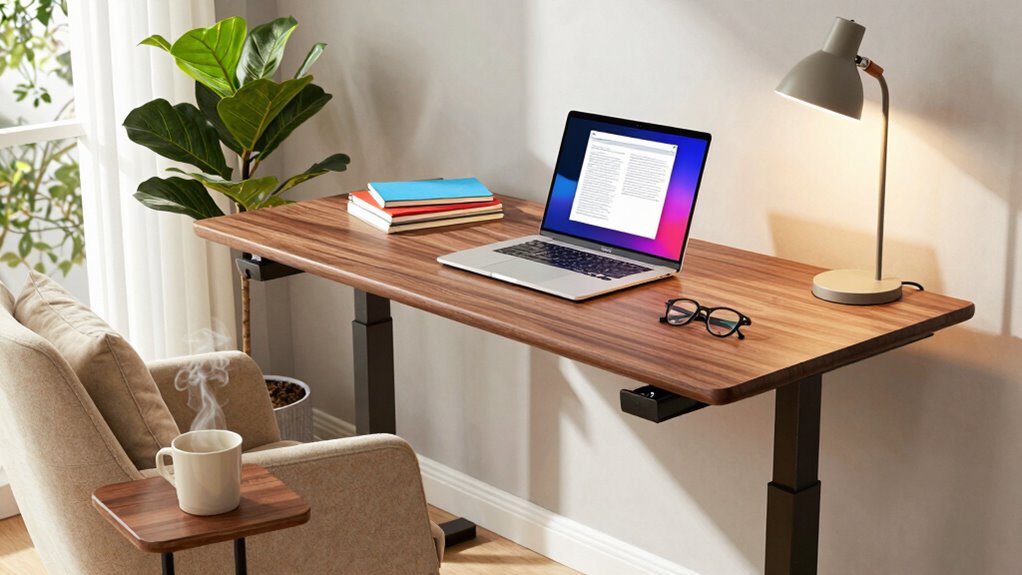
To improve your standing desk setup for reading and writing, add ergonomic accessories like anti-fatigue mats, adjustable monitor arms, and supportive footrests to maintain comfort. Incorporate proper lighting, such as natural light and dimmable task lamps, to reduce eye strain. Organize your workspace with well-placed monitors, keyboards, and items within reach for easy access. Small adjustments in accessories and setup can make a big difference—keep exploring to discover even more ways to optimize your workspace.
Key Takeaways
- Use an adjustable monitor arm to position screens at eye level for comfortable reading and writing.
- Incorporate an ergonomic keyboard and mouse to maintain neutral wrist positions during extended tasks.
- Add proper lighting, such as adjustable desk lamps with daylight-mimicking bulbs, to reduce eye strain.
- Utilize a document holder placed next to the monitor to minimize neck movement while reading or writing.
- Include anti-fatigue mats and footrests to promote comfort during standing periods and support proper posture.
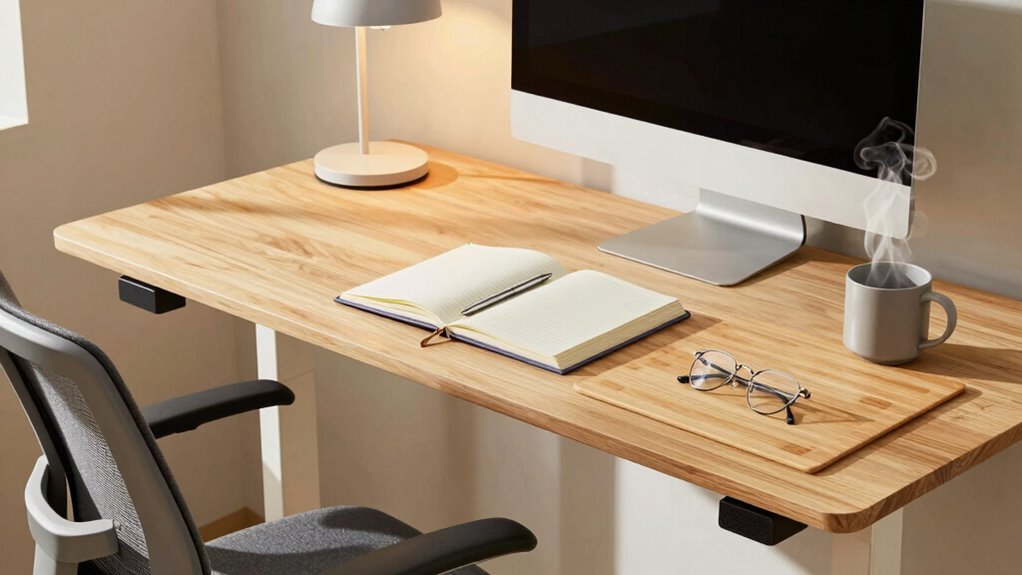
A standing desk can transform your workspace, but to truly optimize your reading and writing experience, you need the right accessories and adjustments. One of the most important additions is ergonomic accessories. These are designed to support your body’s natural posture, reducing strain and fatigue during long periods of work. Consider investing in a high-quality anti-fatigue mat to stand comfortably without putting too much pressure on your feet and legs. An adjustable monitor arm allows you to position your screen at eye level, preventing neck strain and encouraging proper alignment. Pair this with an ergonomic keyboard and mouse that promote neutral wrist positions, which can help avoid repetitive strain injuries. A footrest can also be beneficial, providing extra support and shifting your weight, which enhances comfort and stability.
Lighting solutions are equally critical for a productive reading and writing setup. Proper lighting reduces eye strain and fatigue, making it easier to focus for extended periods. Natural light is best, so position your standing desk near a window if possible, but be sure to control glare with shades or blinds. When natural light isn’t enough, incorporate adjustable task lighting, like a desk lamp with a dimmer. Opt for LED bulbs that emit a bright, flicker-free light with a color temperature around 4000K to 5000K, mimicking daylight and creating a more natural environment. Position your light source to the side or behind your screen to avoid glare directly on your display. Additionally, ensuring your workspace includes natural lighting can significantly improve your overall comfort and productivity. Incorporating proper posture awareness can also help prevent discomfort during long reading and writing sessions. Paying attention to ergonomic principles can further enhance your setup by reducing the risk of musculoskeletal issues. Regularly adjusting your setup to match your body’s needs can help maintain comfort and prevent fatigue over time. Remember, workspace organization is crucial for maintaining an efficient and comfortable environment.
Beyond ergonomic accessories and lighting, consider the overall setup. Your monitor should be at eye level, and your keyboard and mouse should be positioned so your elbows stay close to your sides, with wrists straight. Keep frequently used items within arm’s reach to minimize unnecessary reaching or twisting. You might also want to add a document holder next to your monitor to keep reference materials at eye level, reducing neck movements.
Adjustments are key to maintaining comfort and efficiency. Regularly change your standing and sitting intervals, and pay attention to your body’s signals. Small tweaks to your accessories and lighting can make a significant difference in how comfortable and productive you feel throughout your reading and writing sessions. When you pair the right ergonomic accessories with suitable lighting solutions, you create a workspace that supports your health and enhances your focus, making your standing desk a true asset for your daily tasks.
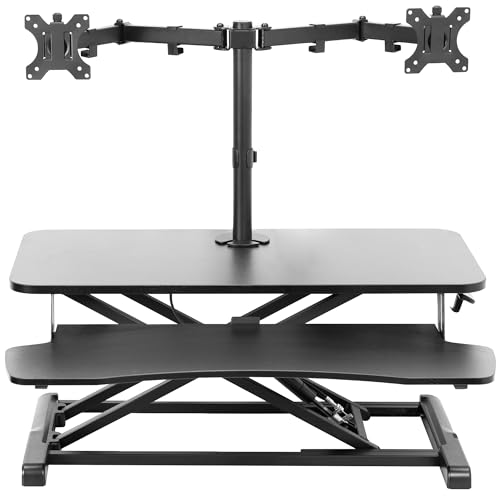
VIVO Height Adjustable 32 inch Standing Desk Converter with Dual 13 to 30 inch Monitor Stand, Sit Stand Monitor Mount and Desk Riser, Black, DESK-V000K-M2
32" Desk Riser with Dual Monitor Mount: Elevate your productivity and comfortable viewing angles with this desktop riser…
As an affiliate, we earn on qualifying purchases.
As an affiliate, we earn on qualifying purchases.
Frequently Asked Questions
How Can I Prevent Fatigue When Using a Standing Desk for Long Periods?
To prevent fatigue at a standing desk, you should take regular breaks and shift your weight often. Wear ergonomic footwear to support your feet and reduce strain. Keep hydrated by following hydration tips, like drinking water regularly, to stay energized. Adjust your desk height to maintain good posture, and consider using an anti-fatigue mat. These steps help you stay comfortable and focused during long standing sessions.
What Are the Best Anti-Fatigue Mats for Standing Desk Users?
Think of anti-fatigue mats as your personal oasis amid a desert of standing fatigue. The best options feature ample foot padding and floor cushioning, providing comfort and support during long hours. Look for mats with anti-slip surfaces, durable materials, and ergonomic designs. Brands like Topo, GelPro, and Imprint offer high-quality floor cushioning that absorbs pressure, reduces strain, and keeps you energized, turning your standing desk experience into a more comfortable, sustainable routine.
How Do I Adjust My Standing Desk for Ergonomic Comfort?
To adjust your standing desk for ergonomic comfort, start by setting your monitor height so the top of the screen is eye level, preventing neck strain. Make sure your keyboard is positioned directly in front of you and at a height where your elbows stay close to your sides and form about a 90-degree angle. Keep your wrists straight and relaxed, and take regular breaks to maintain comfort and reduce fatigue.
Can Sitting Occasionally Improve Productivity at a Standing Desk?
Yes, sitting occasionally can improve productivity at a standing desk. Sitting benefits include reducing fatigue and allowing better posture shift, which helps prevent discomfort. By alternating between sitting and standing, you give your muscles a break, maintain focus, and improve overall comfort. This balance supports sustained concentration and reduces strain, making your reading and writing sessions more efficient and comfortable throughout the day.
What Accessories Help Improve Posture With a Standing Desk?
Imagine your spine aligned like a strong, steady tower. To achieve this, use foot support to distribute your weight evenly and prevent fatigue. Adjust your monitor height so your eyes naturally gaze downward, reducing neck strain. These accessories help you maintain good posture, keep you comfortable, and boost productivity. With proper support, standing becomes effortless, keeping you focused and energized throughout your reading and writing sessions.

Wireless Keyboard and Mouse Combo, 2.4G Full Size Wave Keys Ergonomic Keyboard with Wrist Rest and 3-Level DPI Adjustable Wireless Ergonomic Mouse for Windows, Mac OS Desktop/Laptop/PC(Black)
【Wave Ergonomic Wireless Keyboard and Mouse Combo】The wireless keyboard features a wave key and wrist rest design that…
As an affiliate, we earn on qualifying purchases.
As an affiliate, we earn on qualifying purchases.
Conclusion
So, after all this, it turns out the secret to a perfect reading and writing setup isn’t just about the desk itself. Who would’ve thought that adding a comfy chair, good lighting, and maybe even a cozy blanket could make such a difference? Irony of ironies, the very things that make your space more inviting might just turn you into a productivity superstar—or at least make those long hours a little more bearable. Happy writing!

Lepro LED Desk Lamp, Metal Desk Light 9.5W 800lm, Forbes Vetted Best Task Lamp, 5 Color Modes 5 Brightness Level, Dimmable Home Office Desktop Lamp for Reading, Crafting, Sewing, Puzzle, Nail, White
[Multiple Lighting Choices] – This LED desktop lamp offers 5 lighting modes, each of which can be paired…
As an affiliate, we earn on qualifying purchases.
As an affiliate, we earn on qualifying purchases.

FEATOL Anti Fatigue Mat for Standing, 9/10 Extra Thick Ergonomic Standing Desk Mat, Comfort & Durable Memory Foam Standing Mat at Home,Office All Day (20" x 32", Black, 1PC)
[Anti Fatigue Standing Desk Mat] – This anti fatigue mat standing desk office is effective in reducing stress…
As an affiliate, we earn on qualifying purchases.
As an affiliate, we earn on qualifying purchases.