
TL;DR

Get the little things that make your day delivered free with Prime
- Fast, free delivery on millions of items
- Prime Video, Amazon Music and more included
- Member-only deals all year
Buying a prebuilt AI workstation can often be faster and cheaper than building your own due to component shortages and bulk purchasing. The choice now depends more on your need for control versus convenience and how quickly you want to deploy.
Ever wonder if building your own AI workstation still makes sense? Or is buying a prebuilt the smarter move in 2026? The game has changed.
The AI boom, component shortages, and skyrocketing prices have flipped the script. Building used to be cheaper, but now, prebuilt systems often cost less once you factor in the time, effort, and hidden engineering costs of DIY. This isn’t just about saving money—it’s about speed, support, and control. Let’s dig into what really matters when choosing your AI powerhouse.
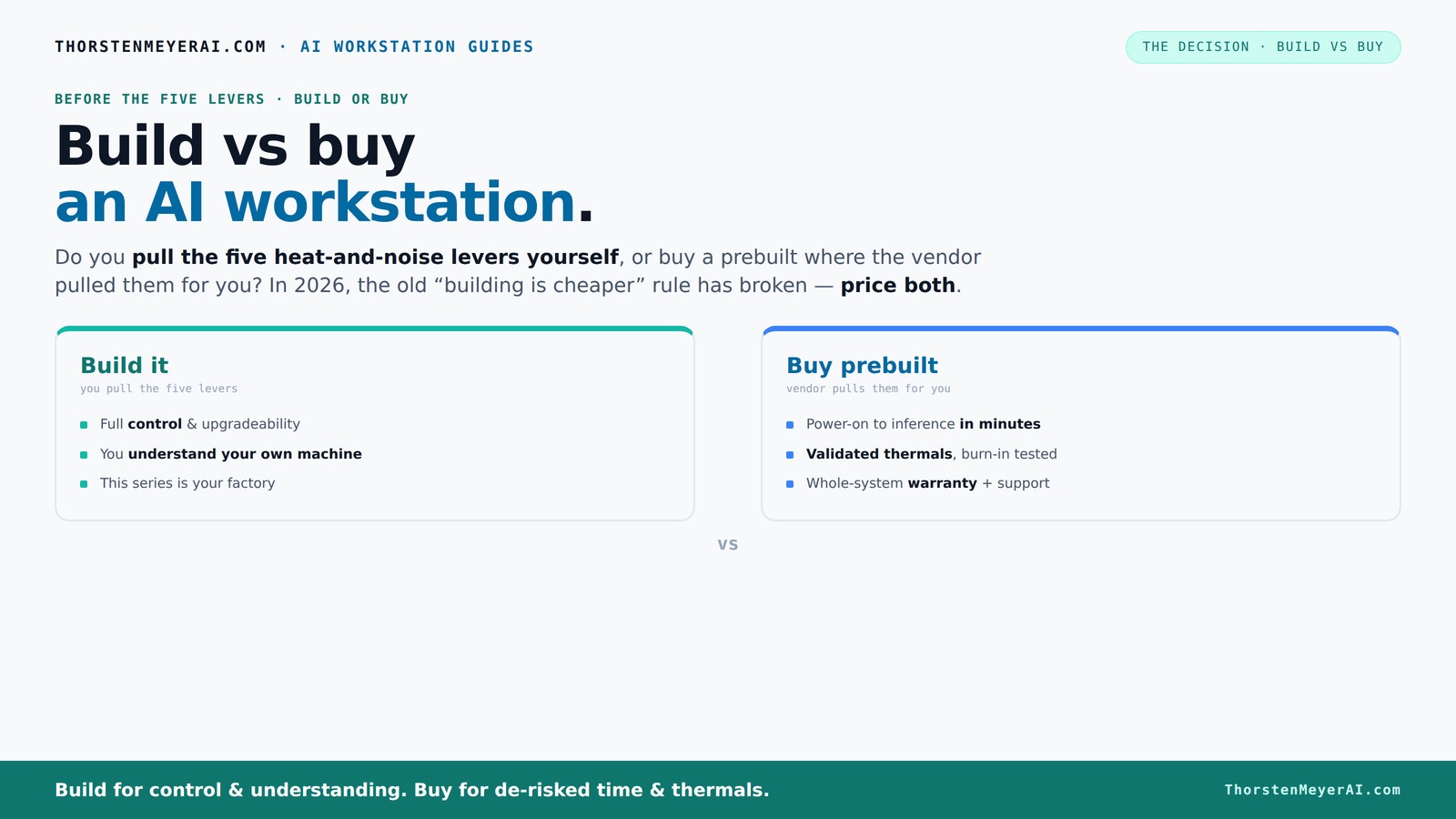
Build vs buy
an AI workstation.
The real question behind this whole series: do you pull the five heat-and-noise levers yourself, or buy a prebuilt where the vendor pulled them for you? And in 2026, the old “building is cheaper” rule has broken. Match your situation in Part 3.
Key Takeaways
- Component shortages in 2026 make prebuilt systems often cheaper or comparable in cost to DIY builds, especially at scale.
- Prebuilt workstations come with validated thermals, tested cooling, and warranties, reducing operational risk and support headaches.
- Building offers unmatched customization and control, ideal for niche workloads or ongoing upgrades, but comes with hidden costs and time investment.
- Speed of deployment favors buying—many prebuilt systems can be up and running in under two months, while DIY can take much longer.
- Hybrid approaches—buy the core and customize the rest—are increasingly popular, balancing speed with control.
Popular right now

Dyson Ball Animal 3 Extra Upright Vacuum

De'Longhi Linea Classic Espresso Machine with Adjustable Milk Frother

Sony WH-1000XM6 Wireless Noise-Canceling Over-Ear Headphones, Blue, Bundle
As an affiliate, we earn on qualifying purchases.
Why 2026 makes building your AI workstation no longer the obvious choice
Building your own AI rig isn’t the no-brainer it used to be. Component prices for GPUs, RAM, and SSDs have shot up 20-50% since 2024, thanks to shortages and demand spikes. A DIY build that once cost $1,000 now often hits $1,250 or more, without even considering the time spent sourcing, assembling, and tuning.
Meanwhile, big vendors like Lambda or BIZON bought components in bulk before prices soared. Their prebuilt systems come with validated thermals, tested cooling, and a warranty, often at prices that match or beat DIY. This shift means that the traditional advantage of building—cost savings—has diminished. The real implication is that your decision should now weigh the value of your time, the reliability of a tested system, and the risk of unforeseen issues. DIY might still be appealing for those who enjoy tinkering or need highly specific customizations, but for most, the convenience and assurance of a prebuilt are compelling reasons to reconsider.
The five levers of heat and noise — and who pulls them?
High-performance AI workstations are like tiny furnaces. To keep them cool and quiet, you manage five levers: undervolt the GPU, match the cooler, optimize airflow, tune fans, and place the system well.
Buy a prebuilt — the vendor pulls these levers for you. They validate thermals, tune fan curves, and often include water-cooling that’s whisper-quiet under load. This means that the vendor’s expertise directly impacts the system’s noise levels and thermal stability, which are critical for sustained performance and hardware longevity. For example, Lambda’s systems are engineered to run 30% cooler and quieter without throttling, which extends hardware lifespan and reduces operational interruptions.
Build it yourself — you take on these levers. You choose a quiet GPU, like the RTX 4090, undervolt it with dedicated software, pick a low-noise case, and set up airflow. This process requires a deep understanding of thermal dynamics and acoustic management. The tradeoff is that your system’s noise and thermal performance depend heavily on your expertise and effort, which can lead to trial-and-error or suboptimal results if you’re not experienced. This level of control can be rewarding but demands time and technical skill, highlighting the importance of understanding how each lever affects overall system stability and longevity.
When does a prebuilt AI workstation beat building?
If your priority is quick deployment and reliable performance, a prebuilt wins. Systems like the Mac Studio or BIZON come with OS, drivers, and AI stacks preinstalled. You can start training or inference in minutes, minimizing setup time and reducing the chance of configuration errors that can cause delays or performance issues.
For example, a startup needing to spin up a multi-GPU training rig in under a month benefits more from buying. Vendors run extensive burn-in tests, validate thermal performance, and offer warranties. This reduces operational risk—no guessing if your cooling is enough or if drivers will crash. The implication is that time-to-value is significantly shortened, which can be crucial for competitive or time-sensitive projects.
Plus, if you’re working with multi-GPU setups, prebuilt vendors have validated configurations that prevent throttling and failures, saving hours of troubleshooting and ensuring consistent performance from day one. This reliability can be a decisive factor for teams that cannot afford downtime or unexpected hardware issues.
When does building beat buying? The real advantages
Building your own AI workstation makes sense if you need full control and customization. Want a specific cooling setup? Need to swap out components regularly? Or aim to optimize for a niche workload? Then DIY is your playground. It allows you to tailor every aspect from hardware selection to airflow design, which can be crucial for specialized tasks or research projects that require unique configurations.
For example, a researcher tuning GPUs with custom undervolting and airflow might spend months perfecting their rig. The process not only yields a system finely tuned to their needs but also deepens their understanding of hardware performance. This knowledge can be invaluable for troubleshooting or future upgrades. Moreover, if your project involves integrating the system into larger setups—like a custom server rack or specialized power architecture—building offers the flexibility to engineer exactly what you need, avoiding constraints imposed by preconfigured systems. The tradeoff is the time investment and the potential for costly mistakes if not executed carefully, but for those seeking maximum control, this is a significant advantage.
The hidden costs of building your own AI rig
Building isn’t just buying parts and assembling. You’ll face hidden costs like sourcing GPUs—sometimes at twice the MSRP due to shortages—and setting up cooling, power supplies, and OS tuning. These challenges can significantly inflate your budget and timeline, especially if you encounter supply chain delays or compatibility issues. Support from vendors like Puget or Lambda includes burn-in testing, which saves you from surprises during crunch time.
Plus, support and validation add up. You might spend weeks troubleshooting driver conflicts, thermal issues, or power delivery. When a GPU throttles under load, fixing it can take hours or days, and without vendor support, you’re on your own. These hidden costs aren’t always obvious upfront but can lead to substantial delays and expenses.
Support from vendors like Puget or Lambda includes burn-in testing, which saves you from surprises during crunch time. This validation ensures stability, reduces troubleshooting, and enhances confidence in your system’s reliability. While DIY offers the thrill of control, it often costs more in time, effort, and sometimes money—especially when unexpected issues arise. Recognizing these hidden costs helps in making a more informed decision aligned with your project’s priorities and risk appetite.
Future-proofing: Upgrades and scalability
Prebuilt systems often have limited upgrade paths. They’re designed for specific configurations, and swapping GPUs or adding RAM can be tricky or void warranties. This can limit your ability to adapt to future technology advances or changing project requirements, potentially forcing a costly complete system replacement sooner than expected.
Building gives you flexibility—swap in a bigger GPU, add faster SSDs, or upgrade cooling. But it’s a balancing act. If you want a system that evolves with your needs, choosing the right motherboard and case matters. Proper planning ensures that future upgrades won’t require a complete rebuild, saving time and money in the long run.
For example, a DIY builder can swap out a GPU upgrade after two years, provided the motherboard supports it, but a prebuilt might require you to replace the entire system to access the latest tech. This tradeoff impacts long-term costs and operational flexibility, especially for organizations planning sustained growth or technological evolution.
Vendor lock-in vs. independence: What's the real risk?
Buying a prebuilt often means depending on a vendor’s ecosystem—firmware updates, support channels, and upgrade options are tied to that vendor. If they change policies or go out of business, you might be stuck with outdated hardware or unsupported configurations, which could jeopardize ongoing projects or require costly migrations.
Building your own system reduces dependence on a single vendor but increases your internal maintenance risk. You become the support team, constantly updating drivers and troubleshooting hardware issues. While this offers independence, it requires technical expertise and ongoing effort, which can be a challenge for smaller teams or those lacking dedicated IT support.
For instance, a startup relying on a prebuilt might benefit from vendor support but risks vendor lock-in if the vendor discontinues certain products. An individual builder enjoys full independence but must be prepared to handle hardware failures, driver updates, and compatibility issues without external support. The decision hinges on your capacity to manage these risks and your preference for control versus convenience.
Decision matrix: Should you build or buy?
| Factor | Build | Buy |
|---|---|---|
| Cost (initial) | Lower if you source parts yourself, but hidden costs apply | Often competitive or cheaper due to bulk buying |
| Time to deploy | Months, depending on complexity | Weeks, often days |
| Control | Full control over components and tuning | Vendor-managed, less customization |
| Support & warranty | Self-managed, support limited to parts | Validated, with support and warranty |
| Upgradability | Highly flexible | Limited, depends on vendor offerings |
Frequently Asked Questions
Is it cheaper to build or buy a prebuilt AI workstation?
In 2026, component shortages and bulk purchasing mean prebuilt systems often match or beat DIY costs, especially when you factor in hidden expenses like troubleshooting and thermal validation [1][2][3]. The tradeoff is that building can still be more cost-effective if you already have the skills and time to manage sourcing and assembly, but for most, the total cost of ownership favors prebuilt options.How long does each option take to get running?
Prebuilts can often be ready in 2-4 weeks, thanks to assembly and testing by vendors, while building your own may take 2-6 months depending on sourcing delays, assembly complexity, and tuning. This time difference can be critical when project deadlines are tight or rapid deployment is needed.What hidden costs come with building your own?
Sourcing GPUs at premium prices, troubleshooting driver conflicts, thermal and power issues, and the time spent tuning and testing can significantly inflate your budget and timeline. Without vendor support, resolving these issues can take hours or days, adding to the overall cost and risk of delays. Support and validation services from vendors mitigate many of these hidden costs, providing peace of mind and operational stability.When does a prebuilt workstation make more sense than a custom build?
When speed, reliability, and support are paramount—such as for teams needing quick deployment or operating in environments where downtime is costly—prebuilts often save time and reduce operational risk. Validated configurations, warranty coverage, and immediate availability make them ideal for time-sensitive projects or organizations lacking in-house technical expertise.Can I upgrade a prebuilt AI workstation later?
It depends. Many prebuilt systems support certain upgrades like additional RAM or new GPUs, but often with limitations due to proprietary design or warranty considerations. Building your own system generally offers more flexibility for future upgrades, allowing you to swap components as technology evolves or your workload demands change. Careful selection of components and plans for future expansion are essential for maximizing upgradeability.Conclusion
In 2026, the choice between build and buy for an AI workstation isn’t just about cost—it's about speed, support, and control. If you need to start training models yesterday, prebuilt is the way to go. But if you crave full control and enjoy the tinkering, building remains a rewarding challenge, despite the hidden costs.
Remember, the best approach depends on your priorities. For most teams today, a hybrid strategy—buy the foundation, build the custom parts—strikes the perfect balance. What will you choose for your next AI project?