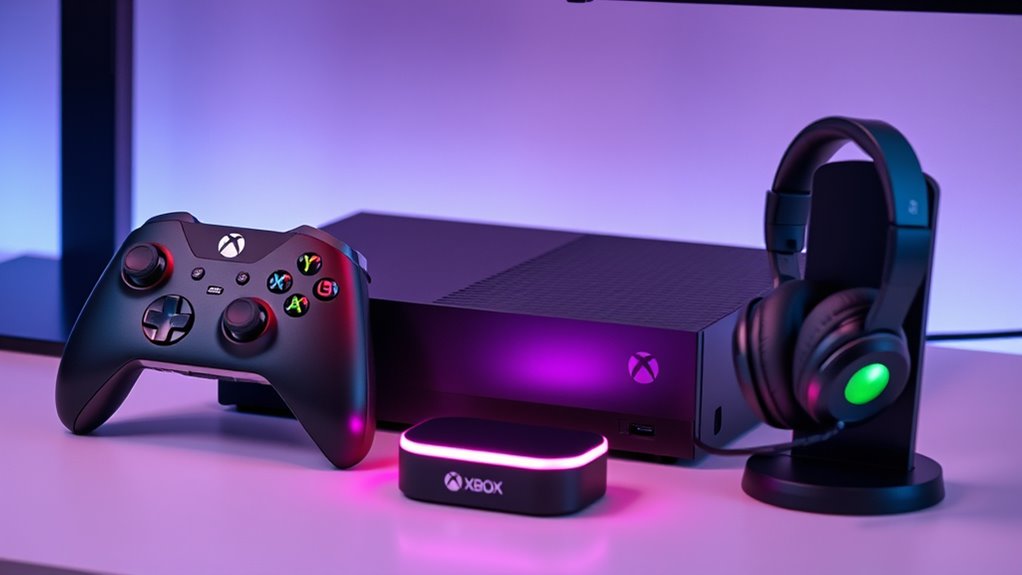

The best Xbox Series X accessories solve a problem you actually have, whether that is keeping controllers ready, protecting the console, or making media playback easier. My best overall pick is the Xbox Wireless Controller, since an extra controller adds immediate flexibility for multiplayer and backup play. The PowerA Play & Charge Kit is a practical choice for rechargeable play, while the Media Remote Control suits a console used for streaming and movies. Cooling fans add features such as temperature displays and lighting, but they also take up space and add another powered device. Read on for how the 13 options compare and which tradeoffs matter for your setup.

Get the little things that make your day delivered free with Prime
- Fast, free delivery on millions of items
- Prime Video, Amazon Music and more included
- Member-only deals all year
Key Takeaways
- The Xbox Wireless Controller is the most broadly useful pick because it adds a complete second input device, while several other accessories address narrower setup needs.
- The PowerA Play & Charge Kit focuses on keeping a controller usable without disposable batteries; it does not replace the convenience of owning a second controller.
- Cooling fans vary by extras such as lighting, temperature displays, and charging stands, so choose by the feature you will use rather than by appearance alone.
- Dust covers and filter kits protect in different ways: a cover is suited to an idle console, while filters and port plugs stay relevant during everyday use.
- The media remote and controller keyboard serve distinct input needs; neither is a substitute for a standard game controller.
| CATZARMOR Cooling Fan for Xbox Series X |  | Best for Temperature Monitoring | Compatibility: Xbox Series X | Fan speeds: 3 levels: 1600, 2000, and 2400 rpm | Fan control: Automatic temperature-based mode | VIEW ON AMAZON | See Our Full Breakdown |
| MENEEA Cooling Fan and Dust Cover for Xbox Series X with Colorful Lights |  | Best for Dust Protection | Compatibility: Xbox Series X | Fan speed settings: 3 | Fan speed indicator colors: Orange, blue, and green | VIEW ON AMAZON | See Our Full Breakdown |
| Xbox Wireless Controller, Shock Blue |  | Best for Everyday Play | Color: Shock Blue | Connectivity: Xbox Wireless, Bluetooth, and USB-C | Audio: 3.5 mm headset jack | VIEW ON AMAZON | See Our Full Breakdown |
| G-STORY Cooling Fan for Xbox Series X with Temperature Display and RGB Lighting |  | Best for Automatic Cooling Control | Compatible device: Xbox Series X | Fan speeds: 3; 1500, 1750, and 2000 RPM | Maximum rotational speed: 2200 RPM | VIEW ON AMAZON | See Our Full Breakdown |
| WOLIBEAR Magnetic Wrap Cover for Xbox Series X, Windows Classic |  | Best for Scratch Protection | Compatibility: Xbox Series X | Material: PU leather exterior with soft microfiber lining | Closure: Built-in magnets | VIEW ON AMAZON | See Our Full Breakdown |
| Dust Filter Kit for Xbox Series X with Silicone Port Plugs and Controller Thumb Grips |  | Best for Dust-Prone Setups | Compatibility: Xbox Series X | Dust plugs: 8 silicone plugs | Vent covers: 4 reusable PVC mesh covers | VIEW ON AMAZON | See Our Full Breakdown |
| Mviioe LED Cooling Fan and Stand for Xbox Series X |  | Best for Adjustable Cooling and USB Access | Compatibility: Xbox Series X | Fans: 1 | Fan speeds: 3: 1800, 1900, and 2000 RPM | VIEW ON AMAZON | See Our Full Breakdown |
| Mcbazel Dust Cover for Xbox Series X, Black |  | Best for Simple Storage Protection | Compatibility: Xbox Series X, vertical mode only | Material: 1680D Oxford cloth | Color: Black | VIEW ON AMAZON | See Our Full Breakdown |
| Xbox Series X Cooling Fan and Controller Charging Stand |  | Best All-in-One Charging and Storage Stand | Compatible device: Xbox Series X | Form factor: Tower | Mounting type: Tabletop | VIEW ON AMAZON | See Our Full Breakdown |
| TiMOVO Green Backlit Keyboard for Xbox Controllers |  | Best for In-Game Messaging | Compatibility: Windows 10, Xbox One, Xbox One S, Xbox One Elite, Xbox One Elite 2, Xbox Series X and S controllers; not Xbox One X | Keys: 47 | Keyboard layout: QWERTY | VIEW ON AMAZON | See Our Full Breakdown |
| Xbox Series X Cooling Fan with LED Temperature Display and RGB Lighting |  | Best for Temperature Monitoring | Compatible device: Xbox Series X console | Power connector: 4-pin | Cooling method: Forced air | VIEW ON AMAZON | See Our Full Breakdown |
| PowerA Play & Charge Kit for Xbox Series X|S and Xbox One |  | Best for Spare Controller Power | Battery capacity: 1100 mAh each | Battery life: Up to 20 hours per battery | Included batteries: 2 | VIEW ON AMAZON | See Our Full Breakdown |
| Media Remote Control for Xbox One and Xbox Series X|S, Black |  | Best for Streaming and Movies | Compatibility: Xbox One and Xbox Series X|S | Color: Black | Backlighting: Motion-activated | VIEW ON AMAZON | See Our Full Breakdown |
| xbox series x accessorie | Compatibility |
|---|---|
| CATZARMOR Cooling Fan for Xbox | Xbox Series X |
| MENEEA Cooling Fan and Dust Co | Xbox Series X |
| Xbox Wireless Controller | — |
| G-STORY Cooling Fan for Xbox S | — |
| WOLIBEAR Magnetic Wrap Cover f | Xbox Series X |
| Dust Filter Kit for Xbox Serie | Xbox Series X |
| Mviioe LED Cooling Fan and Sta | Xbox Series X |
| Mcbazel Dust Cover for Xbox Se | Xbox Series X, vertical mode only |
| Xbox Series X Cooling Fan and | — |
| TiMOVO Green Backlit Keyboard | Windows 10, Xbox One, Xbox One S, Xbox One Elite, Xbox One Elite 2, Xbox Series X and S controllers; not Xbox One X |
| Xbox Series X Cooling Fan with | — |
| PowerA Play & Charge Kit for X | Xbox Series X|S, Xbox One, and Windows |
| Media Remote Control for Xbox | Xbox One and Xbox Series X|S |
More Details on Our Top Picks
CATZARMOR Cooling Fan for Xbox Series X
The CATZARMOR stands out for owners who want to see how their console is running while adding active cooling. Its temperature display and automatic fan mode make it more hands-off than the G-STORY Cooling Fan, which also offers temperature-based control but is specified with a lower top manual speed. Three selectable speeds give you a manual option, while 11 lighting modes offer more variety than the MENEEA fan’s seven color choices.
The added dust screens and button covers extend its role beyond cooling, and the USB 2.0 port can charge an accessory. That port is the main limitation: it is the only listed charging output, so this is not a hub for several devices. Choose it for readable temperature feedback and bundled dust protection; skip it if extra USB connections matter more than monitoring.
Pros:- Automatic fan adjustment responds to console temperature
- Displays console temperature and fan level
- Three fan speeds and 11 LED modes
- Includes two silicone dust screens and eight button covers
Cons:- USB 2.0 is the only listed device-charging output
- Cooling fan and lighting add another console-mounted accessory
Best for: Xbox Series X owners who want automatic fan adjustment, visible temperature feedback, and dust covers in one add-on
Not ideal for: Players who need several accessory charging ports or want a multiport USB hub
- Compatibility:Xbox Series X
- Fan speeds:3 levels: 1600, 2000, and 2400 rpm
- Fan control:Automatic temperature-based mode
- Temperature display:Displays console temperature and fan level
- LED modes:11
- Ports:USB Type-C power input and USB 2.0 port
- Included accessories:Charging cable, 2 silicone dust screens, and 8 silicone dustproof button covers
Our verdict“Choose the CATZARMOR if temperature feedback and automatic cooling matter more than having multiple USB charging ports.”
MENEEA Cooling Fan and Dust Cover for Xbox Series X with Colorful Lights
The MENEEA combines a fan with a dust cover and silicone port plugs, giving it a stronger protection focus than the CATZARMOR, which includes dust screens and button covers but no full cover. Three fan settings and a speed indicator make basic adjustments easy, and its touch switch controls the lighting separately. The USB 3.0 data port adds a connection option that the CATZARMOR does not list, alongside a USB 2.0 charging port.
There is a practical catch: the dust cover should come off while the console runs to improve airflow. That makes it less convenient as an always-on enclosure, and the charging-only USB 2.0 port has limited utility for data devices. This pick suits owners who want dust accessories and color options together; the G-STORY is a more focused choice if temperature monitoring is the priority.
Pros:- Combines cooling with dust covers and silicone port plugs
- Three fan speed settings with color indicators
- Lighting has an independent touch switch
- Includes a USB 3.0 data port and USB 2.0 charging port
Cons:- Dust cover should be removed while the console is running for better cooling
- USB 2.0 port is for charging only
Best for: Xbox Series X owners who want port plugs and dust covers alongside a fan and decorative lighting
Not ideal for: Players seeking a cover that stays on during gameplay or a fan with a temperature display
- Compatibility:Xbox Series X
- Fan speed settings:3
- Fan speed indicator colors:Orange, blue, and green
- Lighting:6 monochrome colors and 1 mixed color
- USB ports:1 USB 3.0 data port and 1 USB 2.0 charging port
- Included dust covers:2 sets
- Included port plugs:1 set of silicone dust plugs
Our verdict“Choose MENEEA if dust protection and a data port matter more to you than temperature monitoring.”
Xbox Wireless Controller, Shock Blue
Unlike the cooling and dust accessories elsewhere in this roundup, the Shock Blue controller changes the way you play directly. Its textured grips and hybrid D-pad are aimed at steadier handling and directional input, while the Share button makes capturing a moment more direct. Xbox Wireless, Bluetooth, and USB-C give it more ways to connect than a console-only add-on such as the G-STORY cooling fan.
That flexibility makes this the most useful pick for players who move between an Xbox, PC, TV, or mobile device. It does not solve storage, charging, or cooling needs, though, and its headset jack and other features depend on compatible devices. Compared with the CATZARMOR, this is a gameplay upgrade rather than a console-care accessory. Choose it when control and cross-device use are the priority.
Pros:- Connects through Xbox Wireless, Bluetooth, or USB-C
- Textured grips, triggers, bumpers, and back case
- Hybrid D-pad supports precise directional input
- Share button and app-based button remapping
Cons:- Some features require supported devices
- Headset use requires a compatible headset
- Does not address console cooling or dust protection
Best for: Players who want one controller for Xbox and supported PC, TV, or mobile gaming
Not ideal for: Owners whose main need is cooling, dust protection, or an accessory that adds console ports
- Color:Shock Blue
- Connectivity:Xbox Wireless, Bluetooth, and USB-C
- Audio:3.5 mm headset jack
- Controls:Hybrid D-pad, textured triggers, bumpers, and back case
- Customization:Button remapping and profiles through the Xbox Accessories app
- Compatible devices:Consoles, PCs, TVs, and mobile devices
Our verdict“Pick the Shock Blue controller if you want a more versatile everyday gamepad rather than a console-care add-on.”
G-STORY Cooling Fan for Xbox Series X with Temperature Display and RGB Lighting
The G-STORY is a focused cooling add-on for players who want to monitor heat and choose between automatic and manual fan control. Its temperature display and temperature-linked RGB indicators make its operation visible, while direct console power avoids a separate listed power adapter. Compared with the CATZARMOR, it offers fewer listed manual speed levels in rpm, topping out at 2000 rpm across its three settings; CATZARMOR lists a 2400 rpm setting and includes dust screens and button covers.
G-STORY’s appeal is simpler: automatic control, three manual choices, and a compact form. In automatic mode, the fan stops below 35°C, so it will not run continuously at lower readings. It is also made specifically for Xbox Series X, limiting its usefulness if your setup changes. Choose it for clear cooling feedback; choose the CATZARMOR for bundled dust protection and a higher listed fan speed.
Pros:- Temperature display supports quick heat monitoring
- Offers automatic and manual temperature control
- Three fan speeds with temperature-linked RGB indicators
- Powered by the console and designed for straightforward installation
Cons:- Automatic mode stops the fan below 35°C
- Designed specifically for Xbox Series X
- No dust covers or USB charging output are listed
Best for: Xbox Series X owners who want automatic or manual fan control with visible temperature and lighting feedback
Not ideal for: Players who need a fan for another console model or want bundled dust covers and port plugs
- Compatible device:Xbox Series X
- Fan speeds:3; 1500, 1750, and 2000 RPM
- Maximum rotational speed:2200 RPM
- Power:3-pin connector; 5 volts; 5 watt-hours
- Cooling method:Air
- Temperature control:Automatic or manual; automatic mode stops below 35°C
- Lighting:RGB lighting changes with fan speed and temperature
- Dimensions:5.51 × 5.51 × 5.51 inches
- Materials:Aluminum, metal, nylon, plastic, and rubber
Our verdict“Choose G-STORY for visible temperature-based cooling control, or CATZARMOR if dust accessories and a higher listed fan speed matter more.”
WOLIBEAR Magnetic Wrap Cover for Xbox Series X, Windows Classic
The WOLIBEAR wrap suits owners who want a more finished look and a layer against everyday scuffs, fingerprints, and dust. Its magnetic closure allows tool-free installation and removal, unlike the MENEEA setup, which combines a dust cover with a fan and is intended to be removed during console use. WOLIBEAR also leaves the heat dissipation ports and USB interface uncovered, so the wrap is designed around access to the console rather than active cooling.
This is a protective and cosmetic choice, not a substitute for a fan like the G-STORY or a full dust-management setup. The PU leather exterior and microfiber lining add material between the console and nearby bumps, but the thickness may interfere with charging stands. It only fits Xbox Series X, and the console is not included. Choose it if removable scratch protection matters more than stand compatibility.
Pros:- Magnetic closure allows tool-free installation and removal
- Microfiber lining helps protect against scratches
- Leaves heat dissipation ports and USB interface uncovered
- PU leather exterior helps guard against fingerprints and everyday bumps
Cons:- May not fit with a charging stand
- Not compatible with Xbox Series S
- Console is not included
Best for: Xbox Series X owners who want removable scratch and fingerprint protection while keeping vents and USB access open
Not ideal for: Players using a charging stand or anyone looking for active cooling or Xbox Series S compatibility
- Compatibility:Xbox Series X
- Material:PU leather exterior with soft microfiber lining
- Closure:Built-in magnets
- Port access:Heat dissipation ports and USB interface remain uncovered
- Included:1 console wrap
- Charging stand compatibility:May not fit due to wrap thickness
- Console included:No
Our verdict“Choose the WOLIBEAR wrap for removable surface protection if your Xbox Series X does not need to sit in a charging stand.”
Dust Filter Kit for Xbox Series X with Silicone Port Plugs and Controller Thumb Grips
This kit addresses dust at several points on the console: silicone plugs cover eight ports, while four reusable mesh covers sit over ventilation areas. That broader coverage sets it apart from the Mcbazel Dust Cover, which wraps the outside of the console but must be removed while the Xbox is powered on. The six thumb grips add a small controller benefit, though they are secondary to the dust protection. I’d consider this for a Series X kept in a dusty room, provided the owner is comfortable fitting each piece and removing the covers when needed. It is Series X only, and the plugs and mesh require careful alignment; buyers seeking quick, whole-console coverage may prefer a single cover instead.
Pros:- Covers console ports and ventilation areas
- Reusable PVC mesh covers
- Includes six controller thumb grips
- Silicone plugs provide separate port coverage
Cons:- Designed only for Xbox Series X
- Several plugs and mesh covers need careful alignment
- Console is not included
Best for: Xbox Series X owners in dusty rooms who want reusable protection for ports and ventilation areas.
Not ideal for: Owners who want a quick one-piece cover or do not want to fit and remove several separate pieces.
- Compatibility:Xbox Series X
- Dust plugs:8 silicone plugs
- Vent covers:4 reusable PVC mesh covers
- Controller accessories:6 thumb grips
- Console included:No
- Kit coverage:Console ports and ventilation areas
Our verdict“Choose this kit if you want targeted, reusable dust protection across your Series X ports and vents and are willing to fit each piece.”
Mviioe LED Cooling Fan and Stand for Xbox Series X
The Mviioe pairs a single three-speed fan with a stand, dust filter, and three USB 2.0 ports. That makes it a better fit for someone who wants extra accessory connections alongside airflow; the Xbox Series X Cooling Fan and Controller Charging Stand adds charging, batteries, and storage, but takes on a larger tabletop role. Mviioe’s fan runs at 1800, 1900, or 2000 RPM, so you can choose between lower noise and higher speed, though the fan gets louder at its upper settings. The touch-switch lighting offers six solid colors and one mixed option, but it is decorative rather than a cooling advantage. Its 5V 1A power limit also narrows how much you should expect from the USB ports.
Pros:- Three selectable fan speeds
- Three USB 2.0 ports for accessories
- Dust filter is included
- Touch-switch lighting offers six solid colors and one mixed color
Cons:- Fan gets louder at higher speeds
- Power connection is limited to 5V 1A
- Only one fan
Best for: Series X owners who want a compact stand with selectable fan speeds and USB ports for nearby accessories.
Not ideal for: Players who need controller charging or quiet operation at the fan’s higher settings.
- Compatibility:Xbox Series X
- Fans:1
- Fan speeds:3: 1800, 1900, and 2000 RPM
- Lighting:6 solid colors and 1 mixed color
- Ports:3 USB 2.0 ports
- Dust filter:Included
- Power connection:Up to 5V 1A
- Model number:XB017E
Our verdict“Pick the Mviioe if adjustable airflow and nearby USB ports matter more to you than controller charging or quieter high-speed operation.”
Mcbazel Dust Cover for Xbox Series X, Black
For an Xbox that sits unused between sessions, this cover offers straightforward protection from dust and scratches without plugs or fitted mesh. Its rear cutaway leaves cable access available, while the 1680D Oxford cloth is water-repellent and easy to clean. Compared with the Dust Filter Kit, it is simpler to put on and remove, but it does not provide separate port plugs or ventilation mesh. The key limit is that it must come off whenever the console is powered on, so it is for storage protection rather than use-time dust filtering. It also fits vertical placement only; owners who keep their Series X horizontal should look elsewhere.
Pros:- 1680D Oxford cloth helps protect against dust and scratches
- Water-repellent material
- Rear cutaway allows cable access
- Lightweight and easy to clean
Cons:- Must be removed while the console is powered on to avoid overheating
- Designed for vertical placement only
Best for: Series X owners who store the console vertically and want a removable cover against dust and scratches between gaming sessions.
Not ideal for: Owners who keep the console horizontal or want protection while it is powered on.
- Compatibility:Xbox Series X, vertical mode only
- Material:1680D Oxford cloth
- Color:Black
- Weight:0.06 kg
- Dimensions:6.88 × 6.69 × 12.08 in
- Cable access:Rear cutaway
- Items included:1 dust cover
- Warranty:1 year
Our verdict“Choose this cover for a vertically placed Series X that needs simple protection while switched off.”
Xbox Series X Cooling Fan and Controller Charging Stand
This tabletop tower brings together console cooling, dual controller charging, and accessory storage. It includes two 1400 mAh rechargeable batteries, a headset holder, space for six discs, and two expansion card slots. Compared with the Mviioe LED Cooling Fan and Stand, this stand is much more focused on organizing and charging a gaming setup; the Mviioe offers USB ports and three fan speeds in a simpler role. Here, the fan can run automatically at 36°C or be set manually, which gives you control over when it operates. The tradeoff is compatibility: charging supports original Xbox Series X batteries and the included batteries, and the fan only works when connected to the stand. It makes the most sense for a fixed tabletop setup with multiple accessories to manage.
Pros:- Combines console cooling with dual controller charging
- Includes two 1400 mAh rechargeable batteries
- Automatic temperature control activates at 36°C
- Stores discs, expansion cards, and a headset
Cons:- Fan works only when connected to the charging stand
- Charging supports original Xbox Series X batteries and the included batteries
- Tabletop tower takes up dedicated space
Best for: Series X players with a tabletop setup who want a charging home for two controllers and storage for discs, a headset, and expansion cards.
Not ideal for: Players who use third-party controller batteries or want a cooling fan that can run independently of the stand.
- Compatible device:Xbox Series X
- Form factor:Tower
- Mounting type:Tabletop
- Cooling fan modes:Automatic and manual, with three manual speeds
- Automatic fan activation:36°C
- Rechargeable batteries:2 × 1400 mAh
- RGB lighting modes:11
- Storage:6 game discs, 2 expansion card slots, and a headset holder
Our verdict“Choose this stand if you want to consolidate controller charging, cooling, and accessory storage in a fixed Series X setup.”
TiMOVO Green Backlit Keyboard for Xbox Controllers
This 47-key chatpad is aimed at players who regularly type messages or use chat, where a physical QWERTY keyboard can be quicker than on-screen input. It attaches to compatible Xbox One and Series X|S controllers and includes a 3.5 mm audio jack, keeping headset access close to the controller. Compared with the Media Remote Control for Xbox One and Xbox Series X|S, the TiMOVO serves communication and text entry rather than playback navigation. The green backlight helps with dim-room typing and enters a power-saving state after ten seconds idle. It draws power from the controller, so there is no separate keyboard battery to manage, but it adds bulk and requires a compatible controller. Note that it is not compatible with Xbox One X.
Pros:- 47-key QWERTY layout supports in-game chat and messaging
- Green backlight enters power-saving mode after 10 seconds idle
- Built-in 3.5 mm audio jack
- Powered by the connected controller
Cons:- Not compatible with Xbox One X
- Requires a compatible controller
- Adds a keyboard attachment to the controller
Best for: Xbox players who often message friends or type in games and own a listed compatible controller.
Not ideal for: Players who rarely type on console, prefer a full-size keyboard, or use an Xbox One X controller.
- Compatibility:Windows 10, Xbox One, Xbox One S, Xbox One Elite, Xbox One Elite 2, Xbox Series X and S controllers; not Xbox One X
- Keys:47
- Keyboard layout:QWERTY
- Connectivity:2.4 GHz wireless receiver
- Backlight:Green, single color; power-saving state after 10 seconds idle
- Audio jack:3.5 mm
- Power source:Connected controller
- Dimensions and weight:5.79 × 2.09 × 1.57 in; 2.5 oz
Our verdict“Choose the TiMOVO if you frequently type on Xbox and want a compact chatpad attached to a compatible controller.”
Xbox Series X Cooling Fan with LED Temperature Display and RGB Lighting
I’d pick this fan for a Series X setup where seeing temperature and adjusting airflow matter more than keeping the console accessories simple. Its display shows real-time temperature in Fahrenheit or Celsius, while automatic control steps up fan speed as readings rise; manual low, medium, and high settings give you a direct alternative. Compared with the G-STORY Cooling Fan for Xbox Series X with Temperature Display and RGB Lighting, this model’s listed appeal also includes a USB hub and headset mount, which can help tidy a small gaming area. The tradeoff is another powered accessory with lights and fan noise beside the console, and its fit is limited to Xbox Series X. I’d skip it if you want a quiet, low-clutter setup or don’t need a temperature readout.
Pros:- Shows real-time console temperature in Fahrenheit or Celsius
- Automatic and manual fan controls provide different levels of airflow control
- USB hub and headset mount add accessory storage and connectivity
- Nine lighting modes let owners customize the console area
Cons:- Designed for Xbox Series X, so it does not suit other console models
- Fan noise and RGB lighting may distract in a quiet or dark room
- Adds another powered accessory and visible hardware to the console setup
Best for: Xbox Series X owners who want visible temperature readings, adjustable cooling, and a place to hang a headset
Not ideal for: Players seeking a silent, minimal setup or an accessory that also fits Xbox Series X|S
- Compatible device:Xbox Series X console
- Power connector:4-pin
- Cooling method:Forced air
- Temperature display:Real-time; switchable between °F and °C
- Fan modes:Automatic and manual; low, medium, and high
- Automatic cooling range:Activates above 96.8°F (36°C), with low, medium, and high stages
- RGB lighting:9 modes: 7 colors and 2 dynamic effects
- USB hub:5V/2A
- Additional feature:Headset mount with anti-slip silicone pads
Our verdict“Choose this if temperature visibility and accessory convenience matter more to you than a quieter, simpler Series X setup.”
PowerA Play & Charge Kit for Xbox Series X|S and Xbox One
My practical pick for players who want rechargeable power ready for a second controller or a quick battery swap is this PowerA Play & Charge Kit. It includes two 1100 mAh batteries and controller doors for both Xbox Series X|S and Xbox One, so the kit covers more than one generation of standard Xbox Wireless Controller. Each battery is rated for up to 20 hours, and charging can happen inside the controller or separately. That makes it more useful for shared play than the Media Remote Control for Xbox One and Xbox Series X|S, which handles media but doesn’t address controller power. The main limitation is compatibility: it excludes the Xbox Elite Wireless Controller Series 2. Its 10 ft USB cable gives room to play while connected, though wired charging still means a cable can cross your play area.
Pros:- Includes two rechargeable 1100 mAh batteries for backup or two-controller use
- Each battery is rated for up to 20 hours of gameplay
- Batteries can charge in the controller or outside it
- Controller doors are included for Xbox Series X|S and Xbox One
Cons:- Not compatible with the Xbox Elite Wireless Controller Series 2
- Charging over USB requires managing a cable during play
- USB Type-A connection may not suit setups without an available Type-A port
Best for: Households with multiple standard Xbox Wireless Controllers that want rechargeable spares for shared or extended play
Not ideal for: Xbox Elite Wireless Controller Series 2 owners or players who want a fully cable-free charging setup
- Battery capacity:1100 mAh each
- Battery life:Up to 20 hours per battery
- Included batteries:2
- Included battery doors:4: 2 for Xbox Series X|S and 2 for Xbox One
- USB cable length:10 ft (3 m)
- Compatibility:Xbox Series X|S, Xbox One, and Windows
- Excluded compatibility:Xbox Elite Wireless Controller Series 2
- Connector type:USB Type-A
- Warranty:2 years
Our verdict“Choose this kit if you use standard Xbox controllers and want two rechargeable batteries ready for rotation.”
Media Remote Control for Xbox One and Xbox Series X|S, Black
For someone who uses an Xbox as a streaming or movie device, I’d choose this remote to reach media controls without picking up a game controller. Its compact body offers quick access to games, streaming apps, and other media, while motion-activated backlighting makes the buttons easier to find in a dark room. That gives it a different job from the PowerA Play & Charge Kit, which helps keep controllers powered but doesn’t simplify watching content. The rubberized texture and improved battery-cover hook are practical details, yet this remote won’t replace a controller for all gaming functions. TV volume and power controls depend on the television and its settings, and the required two AAA batteries aren’t included. It makes the most sense for media-first Xbox owners who are comfortable checking TV compatibility.
Pros:- Provides quick access to Xbox games, streaming apps, and media controls
- Motion-activated backlighting helps locate buttons in dim rooms
- Compact design has a rubberized texture
- Compatible with Xbox One and Xbox Series X|S
Cons:- Requires two AAA batteries, which are not included
- TV volume and power functions depend on TV compatibility and settings
- Does not control all gaming functions
Best for: Xbox owners who regularly stream or watch movies and want dedicated media controls in a dark room
Not ideal for: Players who mainly use Xbox for gaming or need guaranteed TV power and volume control across different televisions
- Compatibility:Xbox One and Xbox Series X|S
- Color:Black
- Backlighting:Motion-activated
- Power:2 AAA batteries, not included
- Included:Remote control and user manual
- TV control:Volume and power functions depend on TV compatibility and settings
Our verdict“Choose this remote if you use Xbox for streaming or movies and want easier media navigation than a game controller provides.”

How We Picked
I ranked these Xbox Series X accessories by how directly they solve common console setup problems: control, charging, cooling, dust protection, and media navigation. I also weighed everyday usability, compatibility stated in each product name, and how much space or setup effort an accessory adds. Products with a clear role and broad usefulness rank ahead of add-ons whose appeal depends on lighting or a specific arrangement.
The lineup spans official Xbox hardware, charging gear, cooling accessories, covers, and alternative input devices, so the order reflects usefulness rather than treating every category as interchangeable. I gave the controller the lead because it adds a core way to play, and placed charging and media options where they best serve distinct routines. Cooling and protection products sit lower because buyers should match them to ventilation, dust, and storage conditions instead of assuming every console needs them.
| xbox series x accessorie | Compatibility |
|---|---|
| CATZARMOR Cooling Fan for Xbox | Xbox Series X |
| MENEEA Cooling Fan and Dust Co | Xbox Series X |
| Xbox Wireless Controller | — |
| G-STORY Cooling Fan for Xbox S | — |
| WOLIBEAR Magnetic Wrap Cover f | Xbox Series X |
| Dust Filter Kit for Xbox Serie | Xbox Series X |
| Mviioe LED Cooling Fan and Sta | Xbox Series X |
| Mcbazel Dust Cover for Xbox Se | Xbox Series X, vertical mode only |
| Xbox Series X Cooling Fan and | — |
| TiMOVO Green Backlit Keyboard | Windows 10, Xbox One, Xbox One S, Xbox One Elite, Xbox One Elite 2, Xbox Series X and S controllers; not Xbox One X |
| Xbox Series X Cooling Fan with | — |
| PowerA Play & Charge Kit for X | Xbox Series X|S, Xbox One, and Windows |
| Media Remote Control for Xbox | Xbox One and Xbox Series X|S |
Factors to Consider When Choosing Xbox Series X Accessories
Before choosing an accessory, start with how your Xbox Series X is set up and used each week. The right addition should solve a real annoyance without blocking airflow, complicating cable management, or duplicating something you already own.
Decide Whether You Need Active Cooling
Check the console’s placement and ventilation before adding a fan. A unit in an enclosed cabinet may need a better location first, since an accessory cannot make restricted airflow a good arrangement. Extra fans can bring controls, lighting, or a temperature display, but also mean more cables, moving parts, and desk or shelf space. Do not choose by the number of modes or lights alone; ask what information or control you will actually use. Keep the console’s exhaust area clear and follow the accessory’s placement guidance. For many open setups, a fan is an optional add-on rather than a starting purchase.
Match Protection to When the Console Is Idle
A dust cover is most useful when the console sits unused for stretches, especially in a dusty room. It must come off before play so it does not obstruct ventilation. Filter kits and port plugs serve a different routine by covering selected openings while the console remains set up. Check which surfaces and ports each kit covers, and consider whether you will remove and refit small pieces often. A cover that is awkward to store can become a nuisance during frequent sessions. Choose protection around your cleaning habits and console placement, rather than buying multiple products that solve the same dust concern.
Choose Between a Spare Controller and Easier Charging
A second controller helps when another person joins, when you want a charged backup, or when one controller is in use elsewhere. A charging kit addresses power for a controller you already own, so it will not help with local multiplayer by itself. Think through how you currently power your controller and whether you prefer a charging routine or replaceable batteries. Check which controller generations the kit supports, since compatibility can vary across Xbox models and accessories. If only one controller is used and charging is the recurring inconvenience, a kit may be the more focused addition. If play often involves another person, an extra controller has the wider role.
Treat Media and Text Input as Separate Jobs
A media remote is useful when the console is part of a living-room entertainment setup and you often pause, navigate, or adjust playback from a distance. It adds little for someone who mostly plays games and already uses a controller for streaming apps. A keyboard attachment can make short text entry easier, but it changes how the controller feels in your hands and is not a full keyboard replacement. Before choosing either, identify the task that currently slows you down: browsing video, entering messages, or typing longer searches. Also check how the accessory attaches and whether it fits the controller you own. Buying input gear for a task you rarely do adds clutter without changing your routine.
Check Fit, Connections, and Shelf Space
Console accessories can occupy the top, sides, or front of the system, and their footprint matters in a compact setup. Compare the product’s mounting approach with your console orientation and nearby shelves before ordering. Cooling stands and charging combinations can consolidate functions, but a larger all-in-one unit may be harder to place than separate accessories. Confirm whether the product needs a USB connection, an outlet, or access to a particular port. Also account for cables reaching comfortably without crossing walkways or pulling on the console. A small fit check can prevent an accessory from interfering with storage, ventilation, or everyday access.
Frequently Asked Questions
Does an Xbox Series X need an extra cooling fan?
Not every setup needs one. First make sure the console has open space around its vents and is not enclosed in a tight cabinet. An added fan can appeal to buyers who want features such as lighting or a temperature display, but it also adds another device and connection to manage. If your main concern is heat, review the console’s placement before buying an accessory. Choose a fan for a specific setup need rather than assuming it is required for ordinary play.
Should I get a charging kit or a second controller?
Choose a charging kit if your main frustration is powering the controller you already use. Choose a second controller if you regularly play with someone else or want a ready backup while one controller is unavailable. These accessories solve different problems, so one does not replace the other. If you are unsure, consider how often another player joins compared with how often battery changes interrupt play. Check compatibility with your controller before selecting a kit.
Can I leave a dust cover on while the Xbox Series X is running?
A cover intended for storage should be removed before the console is powered on, since it may obstruct airflow. Dust filters and port plugs are designed for a different use and cover selected openings, so check the manufacturer’s directions for the specific kit. Do not assume that a cover and a filter have the same purpose. If you use a full cover, make removing and storing it part of your play routine. Keep ventilation clear whenever the console is operating.
Are RGB cooling fans worth choosing over a basic fan?
They make sense if lighting or a temperature display is part of the setup you want and the added controls will be useful to you. Those extras do not automatically make a fan a better fit for every console placement. Compare the unit’s dimensions, connection needs, and controls before prioritizing its appearance. If your goal is simply to keep the area tidy and ventilated, a more elaborate fan may add features you rarely use. Pick based on the job and available space.
Which accessory is most useful if I mostly stream shows on my Xbox?
A media remote is the most direct fit if you frequently navigate streaming apps or control playback from across the room. A standard controller can already perform those tasks, so the remote is most valuable when that interaction feels inconvenient. A charging kit helps only if keeping the controller powered is a separate recurring issue. A keyboard attachment is better suited to text entry than general playback control. Think about which action you repeat most often before choosing.
Conclusion
For the widest everyday use, I recommend the Xbox Wireless Controller as the best overall choice, with the PowerA Play & Charge Kit as the best value for someone who already has a controller and wants a charging solution. The G-STORY Cooling Fan is the premium-style pick for buyers who specifically want a fan with a temperature display and RGB lighting, while the controller and charging kit are simpler starting points for beginners. Choose the Media Remote Control for a living-room console used for streaming, or a dust cover for storage between sessions. For dust management during everyday setup, compare the filter kit with a cover; for multiplayer, prioritize a second controller over cooling extras.
Halloween Picks

HOPOCO Halloween Pumpkin Fog Machine with 12 LED Colors & 4 Light Modes

Panefright Halloween Window Projector

12.5-Foot Lighted Halloween Inflatable Archway
As an affiliate, we earn on qualifying purchases.