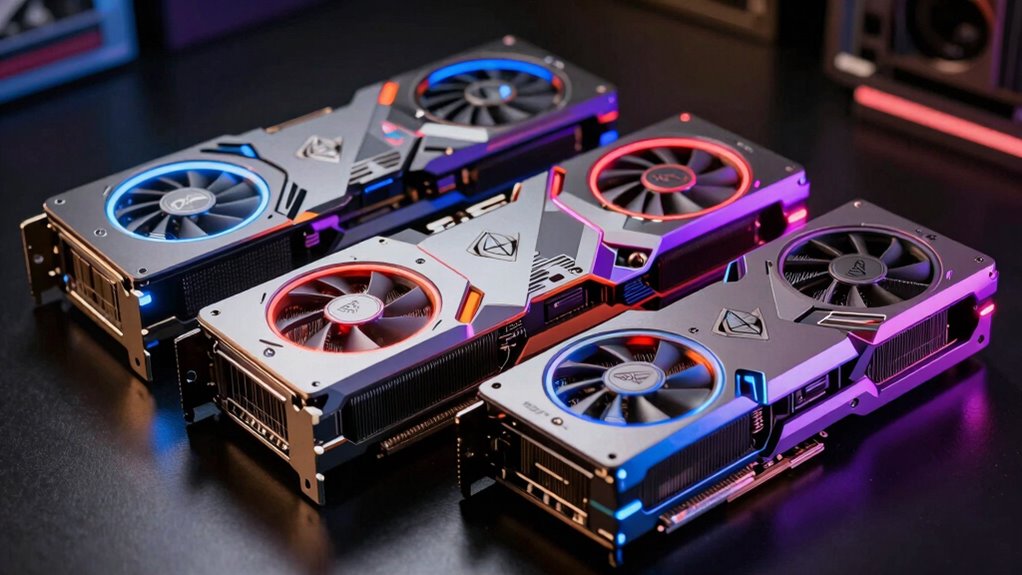

Among these high-end graphics cards, I would make the ASUS ROG Astral GeForce RTX 5090 my best overall pick for buyers seeking the strongest performance tier in this lineup, while the RTX 5080 Founders Edition is a more restrained fit for premium gaming builds. The GIGABYTE RTX 5070 Ti Gaming OC stands out for buyers who want 16GB of memory without moving up to an RTX 5080. The main tradeoffs are graphics performance, cooling and noise, card size, and how much headroom your games and monitor actually need. A higher tier can help with demanding resolutions and ray tracing, but it also calls for a compatible case, power supply, and cooling setup. Continue reading for the full breakdown and guidance on choosing a card that fits your system.

Get the little things that make your day delivered free with Prime
- Fast, free delivery on millions of items
- Prime Video, Amazon Music and more included
- Member-only deals all year
Key Takeaways
- The RTX 5090 is the performance leader in this group, but its size, power demands, and 32GB of memory make it a specialist choice for buyers who can use its headroom.
- RTX 5080 models make up most of the lineup; cooler design, card dimensions, and factory tuning are more useful ways to distinguish them than the shared GPU tier alone.
- The RTX 5070 Ti Gaming OC offers 16GB at a lower performance tier than the RTX 5080 models, making it a sensible step for buyers who value memory capacity and system balance.
- The RTX 5070 Prime is the entry point among these picks, but its 12GB memory and lower tier make it less suited to buyers targeting the most demanding settings.
- The RTX 4090 remains a distinct alternative to the newer RTX 5080 cards; buyers should compare its prior-generation position and 24GB capacity with the newer models’ features and system requirements.
| MSI Gaming RTX 5080 16G SUPRIM Liquid SOC Graphics Card |  | Best for Quiet, High-Performance Builds | Chipset: NVIDIA GeForce RTX 5080 | Architecture: NVIDIA Blackwell | Video memory: 16GB GDDR7 | VIEW ON AMAZON | See Our Full Breakdown |
| NVIDIA GeForce RTX 5080 Founders Edition |  | Best for NVIDIA Feature Support | Product type: Video card | Architecture: NVIDIA Blackwell | AI features: Tensor Cores with FP4 and DLSS 4 | VIEW ON AMAZON | See Our Full Breakdown |
| MSI GeForce RTX 5080 16G Ventus 3X OC Black Graphics Card |  | Best for Straightforward Air-Cooled Builds | Chipset: NVIDIA GeForce RTX 5080 | Memory: 16GB GDDR7 | Memory interface: 256-bit | VIEW ON AMAZON | See Our Full Breakdown |
| NVIDIA GeForce RTX 4090 Founders Edition Graphics Card |  | Best for Large Memory Workloads | GPU: NVIDIA GeForce RTX 4090 | Architecture: Ada Lovelace | Memory: 24GB GDDR6X | VIEW ON AMAZON | See Our Full Breakdown |
| GIGABYTE GeForce RTX 5080 Gaming OC 16G Graphics Card |  | Best for Three-Fan Air Cooling | GPU: NVIDIA GeForce RTX 5080 | Memory: 16GB GDDR7 | Memory interface: 256-bit | VIEW ON AMAZON | See Our Full Breakdown |
| ASUS TUF Gaming GeForce RTX 5080 OC Edition 16GB GDDR7 Graphics Card |  | Best for Rugged Air Cooling | GPU: NVIDIA GeForce RTX 5080 | Architecture: NVIDIA Blackwell | Memory: 16GB GDDR7 | VIEW ON AMAZON | See Our Full Breakdown |
| MSI GeForce RTX 5080 16G SUPRIM SOC Graphics Card |  | Best for a Higher Listed Boost Clock | Chipset: NVIDIA GeForce RTX 5080 | Video memory: 16GB GDDR7 | Memory interface: 256-bit | VIEW ON AMAZON | See Our Full Breakdown |
| ASUS Prime GeForce RTX 5070 12GB GDDR7 White OC Edition Gaming Graphics Card |  | Best Compact High-End Pick | GPU: NVIDIA GeForce RTX 5070 | Memory: 12GB GDDR7 | Boost clock: 2587 MHz OC mode; 2557 MHz default mode | VIEW ON AMAZON | See Our Full Breakdown |
| GIGABYTE GeForce RTX 5070 Ti Gaming OC 16GB Graphics Card |  | Best 16GB Step-Down Pick | GPU: NVIDIA GeForce RTX 5070 Ti | Memory: 16GB GDDR7 | Memory interface: 256-bit | VIEW ON AMAZON | See Our Full Breakdown |
| ASUS ROG Astral GeForce RTX 5090 32GB GDDR7 OC Edition Graphics Card |  | Best for Maximum Memory and GPU Tier | GPU: NVIDIA GeForce RTX 5090 | Architecture: NVIDIA Blackwell | Memory: 32GB GDDR7 | VIEW ON AMAZON | See Our Full Breakdown |
| MSI Gaming RTX 5080 16G Gaming Trio OC Graphics Card |  | Best for Factory-Overclocked Air Cooling | Chipset: NVIDIA GeForce RTX 5080 | Video memory: 16GB GDDR7 | Memory interface: 256-bit | VIEW ON AMAZON | See Our Full Breakdown |
| high end graphics card | Memory | Memory interface | GPU |
|---|---|---|---|
| MSI Gaming RTX 5080 16G SUPRIM | — | 256-bit | — |
| NVIDIA GeForce RTX 5080 Founde | — | — | — |
| MSI GeForce RTX 5080 16G Ventu | 16GB GDDR7 | 256-bit | — |
| NVIDIA GeForce RTX 4090 Founde | 24GB GDDR6X | — | NVIDIA GeForce RTX 4090 |
| GIGABYTE GeForce RTX 5080 Gami | 16GB GDDR7 | 256-bit | NVIDIA GeForce RTX 5080 |
| ASUS TUF Gaming GeForce RTX 50 | 16GB GDDR7 | — | NVIDIA GeForce RTX 5080 |
| MSI GeForce RTX 5080 16G SUPRI | — | 256-bit | — |
| ASUS Prime GeForce RTX 5070 12 | 12GB GDDR7 | — | NVIDIA GeForce RTX 5070 |
| GIGABYTE GeForce RTX 5070 Ti G | 16GB GDDR7 | 256-bit | NVIDIA GeForce RTX 5070 Ti |
| ASUS ROG Astral GeForce RTX 50 | 32GB GDDR7 | — | NVIDIA GeForce RTX 5090 |
| MSI Gaming RTX 5080 16G Gaming | — | 256-bit | — |
More Details on Our Top Picks
MSI Gaming RTX 5080 16G SUPRIM Liquid SOC Graphics Card
The SUPRIM Liquid SOC pairs an RTX 5080 with a liquid cooling system and a listed boost clock of 2760 MHz, making it the standout choice here for builders who want an enthusiast card with cooling built into the design. Compared with the air-cooled GIGABYTE RTX 5080 Gaming OC, its liquid setup may suit a build where managing GPU heat and fan noise matters more than keeping installation simple. Both offer 16GB of GDDR7 and modern display outputs, so the core choice is cooling approach rather than memory capacity. Liquid cooling adds tubing and radiator placement to the build, which calls for more planning and upkeep than a conventional card. I’d choose it for a roomy system designed around liquid cooling, but skip it if straightforward installation is the priority.
Pros:- Liquid cooling is designed to manage heat without relying solely on onboard GPU fans
- Listed boost clock reaches 2760 MHz
- 16GB of GDDR7 memory on a 256-bit interface
- Three DisplayPort 2.1a outputs and HDMI 2.1b support high-resolution displays
Cons:- Liquid cooling adds installation complexity and radiator space requirements
- The 16GB capacity is lower than the 24GB on the RTX 4090 Founders Edition
- Requires more maintenance planning than an air-cooled RTX 5080
Best for: Enthusiast builders planning a spacious desktop with room for a liquid-cooled GPU radiator
Not ideal for: Builders who want a simple air-cooled installation or have limited room for radiator placement
- Chipset:NVIDIA GeForce RTX 5080
- Architecture:NVIDIA Blackwell
- Video memory:16GB GDDR7
- Memory interface:256-bit
- Boost clock:2760 MHz
- Cooling:Liquid cooled
- Outputs:3x DisplayPort 2.1a, 1x HDMI 2.1b
- Maximum resolution:7680 x 4320
Our verdict“Choose the SUPRIM Liquid SOC if cooling and a high listed boost clock matter more to your build than simple installation.”
NVIDIA GeForce RTX 5080 Founders Edition
The RTX 5080 Founders Edition earns its place through a clearly stated set of Blackwell features: DLSS 4, FP4 Tensor Cores, Reflex 2 with Frame Warp, and full ray tracing with neural rendering. That makes it a straightforward fit for buyers choosing an RTX 5080 specifically for NVIDIA’s current gaming and rendering technologies. The MSI Ventus 3X OC listing gives more concrete hardware details, including 16GB of GDDR7 and its display connections; this Founders Edition description, by contrast, focuses on the feature set and leaves memory, cooling, and outputs unspecified. That thinner spec sheet makes a direct hardware comparison harder. I’d shortlist it when those NVIDIA capabilities guide the choice, but seek fuller fit and connectivity details before planning a build.
Pros:- Blackwell architecture with DLSS 4 support
- FP4 Tensor Cores support the listed AI feature set
- Reflex 2 with Frame Warp is included
- Supports full ray tracing with neural rendering
Cons:- The supplied product details do not state video memory capacity or memory interface
- Cooling design, dimensions, and output connectors are not specified
- The listing provides fewer concrete fit details than the MSI Ventus 3X OC
Best for: RTX buyers who prioritize DLSS 4, Reflex 2, and NVIDIA ray tracing features in a desktop gaming or creative build
Not ideal for: Builders who need confirmed memory capacity, card dimensions, cooling details, or display outputs before selecting components
- Product type:Video card
- Architecture:NVIDIA Blackwell
- AI features:Tensor Cores with FP4 and DLSS 4
- Latency technology:NVIDIA Reflex 2 with Frame Warp
- Graphics features:Full ray tracing with neural rendering
- GPU family:NVIDIA GeForce RTX 5080
Our verdict“Pick the Founders Edition if NVIDIA’s named graphics and latency features are your priority and you can confirm the missing build details.”
MSI GeForce RTX 5080 16G Ventus 3X OC Black Graphics Card
The Ventus 3X OC is the practical air-cooled RTX 5080 pick in this group: its neutral design and stated efficient thermal solution fit a range of desktop builds without the radiator planning required by MSI’s SUPRIM Liquid SOC. It has 16GB of GDDR7, a 256-bit interface, and a listed 2640 MHz GPU clock, giving buyers useful hardware specifics alongside support for high-resolution displays. The GIGABYTE RTX 5080 Gaming OC also uses three-fan cooling and 16GB of GDDR7, so the supplied information does not establish a clear performance advantage for either air-cooled card. Ventus’s listed clock is lower than the SUPRIM Liquid SOC’s 2760 MHz boost. I’d favor it for a conventional desktop build where a familiar cooling approach and understated styling matter more than the highest listed clock.
Pros:- 16GB of GDDR7 memory on a 256-bit interface
- Efficient thermal solution in a conventional desktop graphics card
- Three DisplayPort 2.1a outputs and one HDMI 2.1b output
- Supports resolutions up to 7680 x 4320
Cons:- Listed 2640 MHz GPU clock is below the SUPRIM Liquid SOC’s 2760 MHz boost
- The supplied data does not state card dimensions or cooling fan count
- Memory capacity matches the other RTX 5080 options rather than exceeding them
Best for: Desktop builders seeking an air-cooled RTX 5080 with a neutral design and clearly listed memory and outputs
Not ideal for: Enthusiasts prioritizing the highest listed boost clock or buyers who want a liquid-cooled GPU
- Chipset:NVIDIA GeForce RTX 5080
- Memory:16GB GDDR7
- Memory interface:256-bit
- GPU clock speed:2640 MHz
- Memory clock speed:30 GHz
- Outputs:3x DisplayPort 2.1a, 1x HDMI 2.1b
- Interface:PCI Express x16
- Maximum resolution:7680 x 4320
Our verdict“Choose the Ventus 3X OC for a conventional air-cooled RTX 5080 build with a neutral look and clearly stated connectivity.”
NVIDIA GeForce RTX 4090 Founders Edition Graphics Card
The RTX 4090 Founders Edition is the high-memory outlier in this batch: its 24GB of GDDR6X and 16,384 CUDA cores give it a different appeal from the RTX 5080 cards, which list 16GB of GDDR7. That extra capacity can matter to creators and other users whose workloads need more graphics memory, while DLSS 3, ray tracing hardware, and support for 4K 120Hz HDR and 8K 60Hz HDR serve demanding display setups. The tradeoff is physical: at nearly 12 inches long, this card needs a case with ample clearance. It also uses the older Ada Lovelace architecture, while the RTX 5080 picks bring Blackwell features such as DLSS 4. I’d pick the 4090 for its stated memory and core count, after checking case fit.
Pros:- 24GB of GDDR6X memory, more than the 16GB RTX 5080 options in this batch
- 16,384 CUDA cores
- Supports 4K 120Hz HDR and 8K 60Hz HDR output
- DLSS 3 support and third-generation RT cores
Cons:- Nearly 12 inches long, so case clearance needs checking
- Uses Ada Lovelace rather than the Blackwell architecture in the RTX 5080 options
- The supplied description identifies high power consumption as a consideration
Best for: Creators and enthusiasts whose desktop workloads benefit from 24GB of graphics memory and who have a large compatible case
Not ideal for: Compact PC builders or buyers who prioritize the newer Blackwell architecture and listed DLSS 4 features
- GPU:NVIDIA GeForce RTX 4090
- Architecture:Ada Lovelace
- Memory:24GB GDDR6X
- CUDA cores:16,384
- Memory clock speed:2.23 GHz
- Video output:HDMI 2.1a
- Maximum display resolution:8192 x 4320
- Dimensions:11.97 in L x 4.84 in W
Our verdict“Choose the RTX 4090 Founders Edition when its 24GB memory capacity suits your workload and your case can accommodate its size.”
GIGABYTE GeForce RTX 5080 Gaming OC 16G Graphics Card
The GIGABYTE RTX 5080 Gaming OC combines the RTX 5080’s 16GB of GDDR7 with a three-fan WINDFORCE cooler, making it the clearest choice here for buyers who want a conventional multi-fan card and a named cooling system. Compared with MSI’s SUPRIM Liquid SOC, it avoids the extra radiator planning that comes with liquid cooling; compared with the Ventus 3X OC, it lists its three-fan configuration and a 2.73 GHz GPU clock. Its 13.46-inch length is a real fit constraint, so measure the case before choosing it. The supplied description does not detail specific creative features or a full output configuration, and its 16GB capacity is shared with the other RTX 5080 models. I’d shortlist it for a roomy gaming or creative desktop built around air cooling.
Pros:- Three-fan WINDFORCE cooling system
- 16GB GDDR7 memory on a 256-bit interface
- Listed GPU clock speed of 2.73 GHz
- Supports resolutions up to 7680 x 4320
Cons:- 13.46-inch length can rule it out for shorter cases
- The 16GB capacity is below the RTX 4090 Founders Edition’s 24GB
- The supplied data names DisplayPort and HDMI but does not give output counts or versions
Best for: Gaming and creative desktop builders who want a three-fan RTX 5080 and have room for a long card
Not ideal for: Compact case owners or builders seeking liquid cooling or more than 16GB of listed video memory
- GPU:NVIDIA GeForce RTX 5080
- Memory:16GB GDDR7
- Memory interface:256-bit
- GPU clock speed:2.73 GHz
- Memory clock speed:30000 MHz
- Interface:PCIe 5.0; PCI-Express x16
- Video outputs:DisplayPort, HDMI
- Cooling fans:3
- Dimensions:13.46 x 5.59 in (L x W)
Our verdict“Pick the Gaming OC if you want a three-fan air-cooled RTX 5080 and have the case clearance for its 13.46-inch length.”
ASUS TUF Gaming GeForce RTX 5080 OC Edition 16GB GDDR7 Graphics Card
The ASUS TUF Gaming RTX 5080 OC pairs Blackwell performance with a substantial air cooler, making it a fit for buyers who want a high-end card without a liquid cooling loop. Its three Axial-tech fans, 3.6-slot heatsink, and phase-change GPU thermal pad are built to manage heat under sustained workloads. Compared with the MSI RTX 5080 SUPRIM SOC, this ASUS model lists more detailed cooling and durability features, while the MSI specifies a higher 2760 MHz extreme performance clock. That makes the TUF’s appeal its cooling and reinforced construction, rather than a stated clock advantage. The tradeoff is physical: at 13.7 inches long, it needs generous case clearance, and its 850W minimum PSU plus 16-pin connector call for a suitably equipped system.
Pros:- 16GB of GDDR7 memory on NVIDIA Blackwell architecture
- Three Axial-tech fans and a phase-change GPU thermal pad
- Protective PCB coating and military-grade components
- Includes a GPU support bracket
Cons:- Requires an 850W-or-higher power supply with a 16-pin connector
- 13.7-inch length and 3.6-slot cooler limit case compatibility
Best for: High-end gaming and creative PC builders with a roomy case, an 850W-or-higher power supply, and a preference for a heavily cooled air-cooled card.
Not ideal for: Small-form-factor builders or owners of lower-wattage power supplies who cannot accommodate the card’s length, 3.6-slot width, and 16-pin power connector.
- GPU:NVIDIA GeForce RTX 5080
- Architecture:NVIDIA Blackwell
- Memory:16GB GDDR7
- Boost clock:2730 MHz OC mode; 2700 MHz default mode
- Power supply:850W minimum; 16-pin 12V-2×6 (12VHPWR) connector
- Video outputs:3 × DisplayPort 2.1a; 2 × HDMI 2.1b
- Cooling:Three Axial-tech fans; 3.6-slot design; phase-change GPU thermal pad
- Dimensions and weight:13.7 × 5.7 inches; 4.3 lbs
Our verdict“Choose the TUF RTX 5080 if your roomy build can support its large air cooler and you value its cooling and reinforced construction.”
MSI GeForce RTX 5080 16G SUPRIM SOC Graphics Card
The MSI RTX 5080 SUPRIM SOC is the pick in this group for buyers drawn to its listed 2760 MHz extreme performance clock and 16GB of GDDR7. It shares the RTX 5080 chipset with the ASUS TUF, but the supplied details emphasize clock speed and display connectivity rather than cooler construction. Its three DisplayPort 2.1a outputs suit a multi-monitor setup, while the single HDMI 2.1b output covers a TV or HDMI display. By comparison, the ASUS TUF RTX 5080 specifies a three-fan cooler, phase-change pad, power requirement, and card dimensions, giving case planners more to work with. MSI’s listed specifications leave cooling, power needs, and size unstated, so buyers should check fit and system requirements before choosing it.
Pros:- 16GB of GDDR7 video memory
- Listed 2760 MHz extreme performance clock
- Three DisplayPort 2.1a outputs support multi-monitor setups
- Supports a maximum digital resolution of 7680 × 4320
Cons:- Product details do not specify the cooler design or fan count
- Power supply requirement and card dimensions are not provided
- Only one HDMI output is listed
Best for: RTX 5080 buyers who prioritize the listed 2760 MHz extreme performance clock and need three DisplayPort connections for a multi-monitor setup.
Not ideal for: Builders who need confirmed cooler dimensions, power requirements, or detailed thermal design before choosing a card for a tightly planned system.
- Chipset:NVIDIA GeForce RTX 5080
- Video memory:16GB GDDR7
- Memory interface:256-bit
- Extreme performance clock:2760 MHz
- Outputs:3 × DisplayPort 2.1a; 1 × HDMI 2.1b
- Maximum digital resolution:7680 × 4320
Our verdict“Consider this SUPRIM SOC if its listed boost clock and three DisplayPort outputs fit your priorities and you can verify its physical and power requirements.”
ASUS Prime GeForce RTX 5070 12GB GDDR7 White OC Edition Gaming Graphics Card
The ASUS Prime RTX 5070 White OC brings Blackwell and DLSS 4 to a smaller build, with a 2.5-slot, triple-fan design that is more compact than the 3.6-slot ASUS TUF RTX 5080. Its 12GB of GDDR7 and RTX 5070 GPU place it below the 16GB RTX 5080 and RTX 5070 Ti options here, so it is the lineup’s space-conscious choice rather than a substitute for their higher-tier configurations. Dual BIOS profiles let builders choose quiet or performance settings, and 0dB operation during light gaming can suit a living-room PC. The main compromise is memory capacity: buyers running demanding creative workloads or games that benefit from more VRAM may prefer the GIGABYTE RTX 5070 Ti with 16GB.
Pros:- SFF-ready 2.5-slot design with three Axial-tech fans
- 12GB of GDDR7 and NVIDIA Blackwell architecture
- Dual BIOS offers Quiet and Performance profiles
- 0dB operation supports silent light gaming
Cons:- 12GB of VRAM is less headroom than the 16GB RTX 5070 Ti and RTX 5080 cards
- RTX 5070 sits below the RTX 5070 Ti and RTX 5080 options in this roundup
- The 12-inch card still needs case clearance checked before installation
Best for: Small-form-factor builders who want a white, triple-fan Blackwell card with dual BIOS and are comfortable with 12GB of VRAM.
Not ideal for: Buyers targeting the highest-tier performance or memory-intensive creative workloads who would benefit from a 16GB card such as the GIGABYTE RTX 5070 Ti.
- GPU:NVIDIA GeForce RTX 5070
- Memory:12GB GDDR7
- Boost clock:2587 MHz OC mode; 2557 MHz default mode
- AI performance:1005 AI TOPS
- Cooling and design:Three fans; 2.5-slot card
- Video outputs:DisplayPort 2.1b; HDMI 2.1b
- Maximum resolution:7680 × 4320
- Dimensions and weight:12 × 5 inches; 2.3 lbs
Our verdict“Pick the Prime RTX 5070 White OC for a compact, quiet-capable build when 12GB of memory and RTX 5070 performance meet your needs.”
GIGABYTE GeForce RTX 5070 Ti Gaming OC 16GB Graphics Card
The GIGABYTE RTX 5070 Ti Gaming OC offers 16GB of GDDR7 on a 256-bit interface, giving buyers more listed memory capacity than the ASUS Prime RTX 5070’s 12GB. That extra capacity can better suit games and creative projects that keep substantial assets in memory, while the RTX 5070 Ti tier makes this a step below the RTX 5080 models rather than the roundup’s peak-performance choice. Its three-fan WINDFORCE cooling and DLSS 4 support round out a familiar high-end gaming configuration. At 13.46 inches long, however, it is close to the ASUS TUF RTX 5080 in physical footprint despite sitting in a lower GPU tier. Buyers should check case clearance, and the supplied specifications do not state its power requirement or detailed output counts.
Pros:- 16GB of GDDR7 on a 256-bit memory interface
- NVIDIA RTX 5070 Ti with DLSS 4 support
- Three-fan WINDFORCE cooling system
- Supports resolutions up to 7680 × 4320
Cons:- 13.46-inch length requires a case with substantial GPU clearance
- Sits below the RTX 5080 and RTX 5090 tiers in this roundup
- Product details do not specify power requirements or exact output counts
Best for: Gamers and creators who want 16GB of GDDR7 in a card below the RTX 5080 tier and have room for a long triple-fan cooler.
Not ideal for: Small-case builders or buyers seeking the highest GPU tier in this lineup, who should consider a more compact model or an RTX 5080 or RTX 5090 option.
- GPU:NVIDIA GeForce RTX 5070 Ti
- Memory:16GB GDDR7
- Memory interface:256-bit
- GPU clock speed:2600 MHz
- Interface:PCIe 5.0; PCI-Express x16
- Cooling:WINDFORCE; three fans
- Video outputs:DisplayPort; HDMI
- Dimensions:13.46 × 5.59 inches
Our verdict“Choose the GIGABYTE RTX 5070 Ti if you want 16GB of memory and triple-fan cooling below the RTX 5080 tier and your case can fit it.”
ASUS ROG Astral GeForce RTX 5090 32GB GDDR7 OC Edition Graphics Card
The ASUS ROG Astral RTX 5090 is the roundup’s highest-tier choice for buyers who need the RTX 5090 GPU and 32GB of GDDR7. That doubles the memory capacity listed for the RTX 5080 cards and gives memory-heavy creative work more room, while its four Axial-tech fans, vapor chamber, and phase-change thermal pad target heat transfer across sustained workloads. Compared with the ASUS TUF RTX 5080, the Astral moves up to the RTX 5090 tier and doubles memory, but its 3.8-slot, 14.1-inch body is even more demanding to install. Its 6.6-pound weight also makes the reinforced frame and careful support relevant parts of a build. This card suits systems planned around its size and cooling needs; it is an awkward fit for compact cases.
Pros:- RTX 5090 GPU with 32GB of GDDR7 memory
- Four Axial-tech fans paired with a vapor chamber and phase-change thermal pad
- Reinforced metal frame and protective PCB coating
- GPU Tweak III provides performance and thermal controls
Cons:- 14.1-inch length and 3.8-slot width demand substantial case clearance
- At 6.6 pounds, it needs secure installation and support
- The provided specifications do not list its power supply requirement
Best for: Enthusiasts and creators who need an RTX 5090 with 32GB of GDDR7 and can build around a very large, heavy card.
Not ideal for: Small-case builders or anyone with limited expansion-slot space who cannot accommodate a 14.1-inch, 3.8-slot card weighing 6.6 pounds.
- GPU:NVIDIA GeForce RTX 5090
- Architecture:NVIDIA Blackwell
- Memory:32GB GDDR7
- Boost clock:2610 MHz OC mode; 2580 MHz default mode
- Cooling:Four Axial-tech fans; vapor chamber
- Length:357.6 mm (14.1 inches)
- Slot width:3.8 slots
- Weight:6.6 lbs
Our verdict“Choose the ROG Astral RTX 5090 for the lineup’s highest GPU tier and 32GB of memory only if your case and build can support its size and weight.”
MSI Gaming RTX 5080 16G Gaming Trio OC Graphics Card
The MSI Gaming Trio OC pairs RTX 5080 performance with a factory boost clock of up to 2715 MHz, making it a strong fit for high-end gaming and content creation in a desktop that can accommodate its triple-fan cooler. Its 16GB of GDDR7 and three DisplayPort 2.1a outputs offer room for demanding games and multi-display setups. Compared with the MSI Gaming RTX 5080 SUPRIM Liquid SOC, this model avoids a liquid-cooling setup, which may suit buyers who prefer conventional air cooling. The tradeoff is that its large cooler still calls for careful case-clearance checks, and its 16GB capacity is below the 32GB offered by the ASUS ROG Astral RTX 5090. I’d choose it for a high-end RTX 5080 build where factory overclocking and air cooling matter more than a compact fit or maximum memory.
Pros:- RTX 5080 chipset with a factory boost clock up to 2715 MHz
- 16GB of GDDR7 memory on a 256-bit interface
- Three DisplayPort 2.1a outputs and one HDMI 2.1b output
- Triple-fan cooling design aimed at gaming and content creation
Cons:- Large triple-fan card may not fit smaller desktop cases
- 16GB of memory is less than the 32GB on the RTX 5090 option
- RTX 5080 performance may be more than needed for buyers with less demanding workloads
Best for: Desktop builders seeking a factory-overclocked RTX 5080 for high-resolution gaming or content creation, with enough case space for a triple-fan card.
Not ideal for: Small-form-factor PC builders or buyers who need more than 16GB of video memory for demanding professional workloads.
- Chipset:NVIDIA GeForce RTX 5080
- Video memory:16GB GDDR7
- Memory interface:256-bit
- GPU clock speed:Up to 2715 MHz
- Memory clock speed:30 GHz
- Outputs:3x DisplayPort 2.1a, 1x HDMI 2.1b
- Maximum resolution:7680 x 4320
- Interface:PCI-Express x16
Our verdict“Choose the Gaming Trio OC for a high-end RTX 5080 desktop with factory overclocking and air cooling, provided your case has room for its large cooler.”

How We Picked
I ranked these cards by how well their performance tier matches likely high-end gaming needs, then weighed memory capacity, cooling approach, physical fit, and the practical demands each design places on a PC. The RTX 5090 leads for buyers who want maximum headroom, while the RTX 5080 models sit in the main premium tier and are separated by their cooling systems and board designs. The RTX 5070 Ti and RTX 5070 round out the list for readers who want to spend less system capacity on graphics power while still choosing a current-generation card.
Within a shared GPU tier, I gave more weight to useful differences than to model names or factory overclocks. Liquid cooling may appeal to a buyer with room for a radiator, while a simpler air-cooled card avoids that added installation requirement. I also considered the RTX 4090 on its own merits as a 24GB previous-generation option. These rankings reflect product specifications and buyer fit; actual performance, acoustics, and compatibility depend on the rest of the system and the specific workload.
| high end graphics card | GPU |
|---|---|
| MSI Gaming RTX 5080 16G SUPRIM | — |
| NVIDIA GeForce RTX 5080 Founde | — |
| MSI GeForce RTX 5080 16G Ventu | — |
| NVIDIA GeForce RTX 4090 Founde | NVIDIA GeForce RTX 4090 |
| GIGABYTE GeForce RTX 5080 Gami | NVIDIA GeForce RTX 5080 |
| ASUS TUF Gaming GeForce RTX 50 | NVIDIA GeForce RTX 5080 |
| MSI GeForce RTX 5080 16G SUPRI | — |
| ASUS Prime GeForce RTX 5070 12 | NVIDIA GeForce RTX 5070 |
| GIGABYTE GeForce RTX 5070 Ti G | NVIDIA GeForce RTX 5070 Ti |
| ASUS ROG Astral GeForce RTX 50 | NVIDIA GeForce RTX 5090 |
| MSI Gaming RTX 5080 16G Gaming | — |
Factors to Consider When Choosing High End Graphics Cards
Choosing a high-end GPU is a system decision: the card needs to match your resolution, case, power supply, and the games or creative workloads you run. These broader checks can prevent paying for headroom you will not use or buying a card your PC cannot comfortably support.
Match the GPU Tier to Your Resolution
Start with your monitor and the games you actually play, since a card built for demanding 4K workloads may offer little visible benefit on a lower-resolution display. High refresh rates can also raise the workload even when the resolution is lower, so check both settings together. Ray tracing and demanding visual effects add another reason to choose a stronger tier, but they do not affect every game equally. Look for performance results in the specific titles and settings that matter to you before moving up a tier. A common mistake is choosing from the GPU name alone, without considering the monitor that will display the result. If an upgrade also means replacing your display soon, factor that into the decision. Otherwise, a well-matched RTX 5080 or RTX 5070 Ti may suit your setup better than the most powerful card in this group.
Check Case Clearance and Cooling
Graphics cards can take up several expansion slots and extend far enough to interfere with front fans, drive cages, or side panels. Measure available card length, thickness, and height against your case before choosing a board partner model. For a liquid-cooled option, confirm that the radiator fits a supported mounting position and does not compete with your CPU cooler. Air-cooled models avoid radiator placement, though their size and fan design still affect fit and airflow. Leave room for air to reach the card rather than pressing a large GPU against a solid panel or nearby obstruction. This matters especially in compact cases, where a card that technically fits can still run louder or hotter. Check the manufacturer’s dimensions and your case manual before ordering.
Plan for Power and System Balance
Check the card maker’s power supply guidance, the card’s connector requirements, and the capacity of your existing PSU before upgrading. A high-end GPU can also draw more power during brief demanding workloads than a simple average suggests, so a marginal power supply may cause instability. Use the cabling arrangement recommended by the card maker and avoid forcing a tight bend at the connector. Your CPU matters too: at lower resolutions or very high frame rates, a slower processor can limit the benefit of a stronger GPU. That does not make a GPU upgrade pointless, but it can change how much performance you gain in your games. Include case airflow and power supply replacement in the total build plan, alongside the graphics card itself.
Choose Memory for Your Workload
Video memory affects how comfortably a card handles high-resolution textures, complex scenes, and some creative applications. The cards here range from 12GB on the RTX 5070 Prime to 32GB on the RTX 5090, with several options at 16GB and the RTX 4090 at 24GB. More memory can give demanding workloads extra room, but it does not make a lower-tier GPU perform like a higher-tier one. Check the requirements of the games and software you use, including any texture packs or local rendering tasks. For general gaming, prioritize performance at your chosen settings as well as memory capacity. Buyers who create large projects or use memory-heavy tools may have stronger reasons to choose a card with more VRAM than a typical gaming setup needs.
Compare Board Designs Within a GPU Tier
Cards built around the same GPU can still differ in size, cooling, fan behavior, connectors, and factory tuning. Those differences affect installation and day-to-day use, even when the base graphics processor is shared. A large cooler may suit a spacious case and a buyer who values thermal headroom, while a smaller design can make a build easier to assemble. Liquid cooling adds a radiator and tubing to install, so choose it when its cooling setup fits your case and priorities. Factory overclock labels alone are a weak reason to favor one model; check independent performance and noise measurements when available. Also review warranty terms and the manufacturer’s support for the exact card model. This keeps the choice focused on meaningful build differences instead of branding.
Decide Whether a Previous-Generation Flagship Fits
The RTX 4090 sits between newer-generation options in a different way: it has 24GB of memory and flagship-class hardware, but belongs to an earlier generation than the RTX 5080 and RTX 5090. A card’s generation can affect supported features and efficiency as well as raw performance, so compare the tasks you care about rather than assuming newer or older is automatically better. Check current independent results for the games and applications you use, since performance varies by workload. Consider whether 24GB of VRAM serves a real need in your setup or simply looks attractive on a specification sheet. Also verify the card’s physical and power requirements against your system. This comparison is particularly useful for buyers choosing between a high-memory older flagship and a newer premium card.
Frequently Asked Questions
Should I choose the RTX 5090 or an RTX 5080 for a 4K gaming build?
Choose based on the frame rates and graphics settings you want in your games, not on resolution alone. The RTX 5090 is the highest tier in this lineup and offers 32GB of memory, which can suit demanding games and memory-heavy work. The RTX 5080 cards target premium gaming with less extreme system demands than the lineup’s top card. Check independent results for your games, especially if you use ray tracing or a high-refresh 4K monitor. Also confirm that your case, PSU, and cooling can handle the specific card you select.
Is a 16GB RTX 5070 Ti a better choice than a 12GB RTX 5070?
The RTX 5070 Ti Gaming OC pairs 16GB of memory with a higher GPU tier, so it has more headroom for demanding settings and memory-heavy games. The RTX 5070 Prime is a less demanding option for a build that does not need that extra performance. Neither memory figure alone tells you how fast a card will be in a particular game. Compare results at your resolution and preferred settings, then check whether the price and power requirements of the higher tier make sense for your build. If your workload needs extra VRAM, the 5070 Ti has the clearer fit in this pair.
Do I need liquid cooling for a high-end graphics card?
No; an air-cooled card can be the simpler choice if it fits your case and has suitable airflow. The MSI RTX 5080 SUPRIM Liquid SOC includes a radiator, which adds another component to mount and another location to plan around. Liquid cooling can appeal to builders seeking that cooling approach, but it does not remove the need to check card clearance, radiator support, or case ventilation. Compare noise and temperature measurements for the exact models when those factors matter to you. Choose the setup your case can support comfortably.
Can I keep my current power supply when upgrading to an RTX 5080 or RTX 5090?
Possibly, but the card tier and exact model matter. Check the manufacturer’s recommended PSU capacity and connector requirements, then compare them with your PSU’s specifications and available cables. Account for the rest of your system, including the CPU and any power-hungry drives or accessories. A power supply that barely meets a guideline may leave little room for demanding workloads or future upgrades. If the PSU is old, lacks the needed connections, or falls short of the card maker’s guidance, plan the upgrade as part of the GPU purchase.
Is the RTX 4090 still worth comparing with the RTX 5080 cards?
Yes, particularly if you have a workload that benefits from its 24GB of memory or if its performance suits your specific games and software. It belongs to an earlier generation, while the RTX 5080 models are newer options in the lineup, so features, efficiency, and workload results all merit checking. Do not assume the larger VRAM figure automatically makes it the better gaming card. Look for current, independent comparisons at your target resolution and settings. The better fit depends on what you run, how much memory it needs, and whether your system can support the card.
Conclusion
For the best overall performance tier, choose the ASUS ROG Astral RTX 5090 if your games or workloads can use its headroom and your system can support it. For a premium all-round gaming build, compare the RTX 5080 Founders Edition with the MSI, GIGABYTE, and ASUS partner cards by dimensions, cooling, and independent noise results. The best value direction in this lineup is the RTX 5070 Ti Gaming OC for buyers seeking 16GB without stepping up to an RTX 5080; the RTX 5070 Prime is the simpler pick for newcomers who do not need the higher tier. Choose the MSI SUPRIM Liquid SOC when a radiator-based setup suits your case, and compare the RTX 4090 when its 24GB memory and prior-generation performance match a specific need. Confirm fit, power, and workload performance before settling on a model.
Halloween Picks
halloween
As an affiliate, we earn on qualifying purchases.