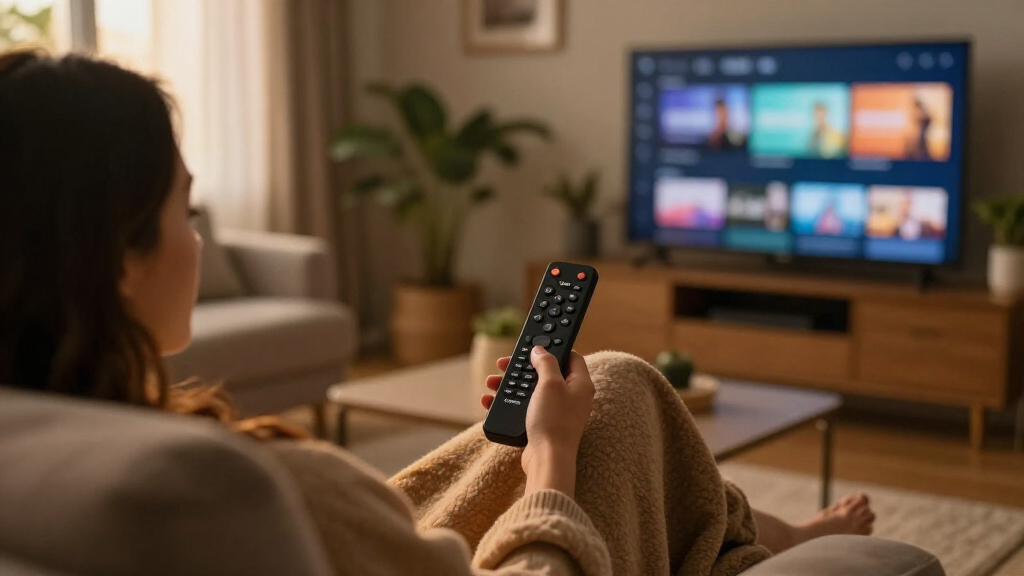

For most people, I’d choose the Amazon Fire TV Stick 4K Max (2nd Gen) for its blend of 4K streaming, speed-focused hardware, and broad compatibility. The Fire TV Cube (3rd Gen) stands out for hands-free Alexa control and a more connected home-theater setup, while the Fire TV Stick HD keeps things simple for older 1080p TVs. The main tradeoffs are resolution, responsiveness, control style, and whether a premium player’s extras will matter in your room. Refurbished models and bundles can also change the value equation, but they call for a closer check of condition and included coverage. Read on for the full comparison and guidance on which Amazon Fire TV streaming device suits your setup.

Get the little things that make your day delivered free with Prime
- Fast, free delivery on millions of items
- Prime Video, Amazon Music and more included
- Member-only deals all year
Key Takeaways
The Fire TV Stick 4K Max (2nd Gen) is the strongest all-around fit when you want a compact player with 4K playback and more performance headroom than a basic stick.
The Fire TV Cube (3rd Gen) makes the most sense when hands-free Alexa and home-theater control matter more than keeping the device small and simple.
The Fire TV Stick HD is the practical match for a 1080p television; paying for 4K hardware won’t improve the picture on a screen that cannot display it.
The lineup’s overlapping 4K sticks make remote features, performance tier, and bundle details more useful comparison points than resolution alone.
Refurbished and protection-plan listings are not automatically equivalent to standard new-device listings, so check condition, included accessories, and coverage terms before choosing them.
| Amazon Fire TV Stick 4K Select with Alexa Voice Remote |  | Best Value 4K Pick | Maximum output: 2160p at up to 60 fps | HDR and video formats: HDR10, HDR10+, HLG, H.265, H.264, VP9, AV1 | Processor: Quad-core 1.7 GHz | VIEW LATEST PRICE | See Our Full Breakdown |
| Amazon Fire TV Stick HD with Alexa Voice Remote |  | Best for Full HD TVs | Resolution: Full HD | Wi-Fi: Wi-Fi 6 | Power: Powered by TV via included USB-C cable | VIEW LATEST PRICE | See Our Full Breakdown |
| Amazon Fire TV Cube (3rd Gen) 4K Streaming Media Player with Alexa and Wi-Fi 6E |  | Best Premium Home-Theater Hub | Processor: Octa-core: 4 × 2.2 GHz and 4 × 2.0 GHz | Memory and storage: 2 GB memory; 16 GB storage | Wi-Fi: Wi-Fi 6E tri-band; supports 802.11a/b/g/n/ac/ax | VIEW LATEST PRICE | See Our Full Breakdown |
| Amazon Fire TV Stick 4K Select Bundle with 2-Year Protection Plan |  | Best Bundle with Protection | Maximum video output: 2160p at up to 60 fps | Video formats: HDR10, HDR10+, HLG, H.265, H.264, VP9, AV1 | Processor and storage: Quad-core 1.7 GHz; 8 GB storage | VIEW LATEST PRICE | See Our Full Breakdown |
| Amazon Fire TV Stick 4K (2nd Gen, Like-New Refurbished) |  | Best Refurbished Feature Set | Condition and warranty: Refurbished, tested, and certified like new; 1-year limited warranty | Output resolution: 2160p, 1080p, and 720p up to 60 fps | Video support: 4K Ultra HD, Dolby Vision, HDR10, HDR10+, HLG | VIEW LATEST PRICE | See Our Full Breakdown |
| Amazon Fire TV Stick 4K Plus with Alexa Voice Remote |  | Best for Wi-Fi 6 Households | Processor: Quad-core, 1.7 GHz | Storage: 8 GB | Wi-Fi: Dual-band Wi-Fi 6, 2.4 GHz and 5 GHz | VIEW LATEST PRICE | See Our Full Breakdown |
| Amazon Fire TV Stick 4K with Alexa+ Voice Remote |  | Best for Alexa+ Voice Control | Resolution: 4K | HDR: HDR10+ | Wi-Fi: Wi-Fi 6 | VIEW LATEST PRICE | See Our Full Breakdown |
| Amazon Fire TV Cube (3rd Gen) with Alexa Voice Remote Pro |  | Best Hands-Free Bundle | Generation: 3rd Gen | Processor: Octa-core: 4 × 2.2 GHz and 4 × 2.0 GHz | Storage and memory: 16 GB storage; 2 GB memory | VIEW LATEST PRICE | See Our Full Breakdown |
| Amazon Fire TV Cube (3rd Gen), Hands-Free Streaming Device with Alexa, Wi-Fi 6E and 4K Ultra HD (Like-New) |  | Best Refurbished Cube Option | Condition: Like-new, refurbished and certified; limited warranty | Processor and memory: Octa-core: 4 × 2.2 GHz and 4 × 2.0 GHz; 2 GB memory | Storage: 16 GB | VIEW LATEST PRICE | See Our Full Breakdown |
| Amazon Fire TV Stick 4K Max (2nd Gen) Streaming Device |  | Best Premium Stick | Processor: Quad-core, 2.0 GHz | Storage: 16 GB | Wi-Fi: Wi-Fi 6E tri-band: 2.4, 5, and 6 GHz | VIEW LATEST PRICE | See Our Full Breakdown |
| Amazon Fire TV streaming device | Wi-Fi | Ports | Processor | Bluetooth |
|---|---|---|---|---|
| Amazon Fire TV Stick 4K Select | Dual-band, dual-antenna MIMO; 802.11a/b/g/n/ac | HDMI output; micro-USB power | Quad-core 1.7 GHz | Bluetooth 5.0 and Bluetooth Low Energy |
| Amazon Fire TV Stick HD with A | Wi-Fi 6 | — | — | — |
| Amazon Fire TV Cube | Wi-Fi 6E tri-band; supports 802.11a/b/g/n/ac/ax | HDMI 2.1 input and output, IR extender, USB-A 2.0, 10/100 Mbps Ethernet, power | Octa-core: 4 × 2.2 GHz and 4 × 2.0 GHz | — |
| Amazon Fire TV Stick 4K Select | Dual-band, dual-antenna MIMO; 802.11a/b/g/n/ac | HDMI output; micro-USB power input | — | Bluetooth 5.0 and Bluetooth Low Energy |
| Amazon Fire TV Stick 4K | Wi-Fi 6 dual-band, 2.4 GHz and 5 GHz | — | — | Bluetooth 5.2 + BLE |
| Amazon Fire TV Stick 4K Plus w | Dual-band Wi-Fi 6, 2.4 GHz and 5 GHz | HDMI 2.1 output with ARC input support; micro USB | Quad-core, 1.7 GHz | Bluetooth 5.2 + BLE |
| Amazon Fire TV Stick 4K with A | Wi-Fi 6 | — | — | — |
| Amazon Fire TV Cube | Wi-Fi 6E tri-band | HDMI 2.1 input and output, IR extender, USB-A 2.0, Ethernet, and power | Octa-core: 4 × 2.2 GHz and 4 × 2.0 GHz | — |
| Amazon Fire TV Cube | Wi-Fi 6E tri-band; supports 802.11a/b/g/n/ac/ax | HDMI 2.1 input and output, IR extender, USB-A 2.0, Ethernet, and power | — | — |
| Amazon Fire TV Stick 4K Max | Wi-Fi 6E tri-band: 2.4, 5, and 6 GHz | HDMI 2.1 output with ARC input support; micro USB | Quad-core, 2.0 GHz | Bluetooth 5.2 + BLE |
More Details on Our Top Picks
Amazon Fire TV Stick 4K Select with Alexa Voice Remote
I’d choose the Fire TV Stick 4K Select for a straightforward move to 4K without stepping up to a box-style player. It supports 4K at up to 60 fps and HDR10+, while the included Alexa remote can search by voice and operate compatible TV and audio controls. Compared with the Fire TV Cube (3rd Gen), this stick is smaller and simpler, but it gives up hands-free Alexa, Wi-Fi 6E, and the Cube’s broader connection options. Its 8 GB of storage and dual-band Wi-Fi suit everyday streaming, though the spec sheet does not list the newer Wi-Fi 6 support found on the refurbished 4K model. Cloud gaming is available through compatible services, but subscriptions and a controller may add requirements. I’d pick it for an uncomplicated 4K setup, not for premium home-theater control.
Pros:- Outputs up to 4K at 60 fps with HDR10+, HLG, and several common video codecs.
- Alexa Voice Remote offers voice search and compatible TV and audio controls.
- Small stick design connects through HDMI rather than taking up shelf space.
- Supports cloud gaming through compatible services.
Cons:- Does not list Dolby Vision or Wi-Fi 6 support.
- 8 GB of internal storage is limited for buyers who want more room for apps.
- 4K, HDR, and cloud gaming depend on compatible equipment, services, and subscriptions.
Best for: Viewers upgrading an HDMI-equipped 4K TV who want HDR10+ and voice search without a separate streaming box.
Not ideal for: Buyers seeking Dolby Vision, hands-free Alexa, Wi-Fi 6, or extensive connections for other media devices.
- Maximum output:2160p at up to 60 fps
- HDR and video formats:HDR10, HDR10+, HLG, H.265, H.264, VP9, AV1
- Processor:Quad-core 1.7 GHz
- Internal storage:8 GB
- Wi-Fi:Dual-band, dual-antenna MIMO; 802.11a/b/g/n/ac
- Bluetooth:Bluetooth 5.0 and Bluetooth Low Energy
- Ports:HDMI output; micro-USB power
- Dimensions and weight:3.9 × 1.2 × 0.6 in; 1.5 oz
Our verdict“Choose this stick for compact HDR10+ 4K streaming and a voice remote, but pick the Fire TV Cube if you want hands-free control and more connections.”
Amazon Fire TV Stick HD with Alexa Voice Remote
The Fire TV Stick HD makes the most sense when the television is Full HD and 4K features would go unused. It connects directly to HDMI and supports Wi-Fi 6, while the remote adds voice search, power and volume buttons, smart-home features, and Bluetooth headphone support for private listening. Compared with the Fire TV Stick 4K Select, it gives up 4K output and HDR formats, so it is a better match for older or secondary TVs than a new 4K screen. Its TV-powered USB-C setup and portable size can make it handy for moving between compatible televisions, though that setup still depends on an HDMI port and the TV’s ability to supply power. I’d favor it for uncomplicated HD viewing; buyers investing in 4K should choose a 4K model instead.
Pros:- Full HD streaming suits televisions that do not support 4K.
- Wi-Fi 6 support is useful on compatible home networks.
- Remote includes voice control, dedicated power and volume buttons, and preset app buttons.
- Bluetooth headphone support allows private listening.
Cons:- Full HD output lacks the 4K and HDR formats offered by the Fire TV Stick 4K Select.
- Requires a compatible TV with an HDMI port and relies on TV power via USB-C.
- Streaming services may require separate subscriptions.
Best for: Owners of Full HD televisions who want a portable streaming stick, Wi-Fi 6, and private listening through Bluetooth headphones.
Not ideal for: Viewers with 4K or HDR televisions who want higher-resolution output or an upgrade path that uses those capabilities.
- Resolution:Full HD
- Wi-Fi:Wi-Fi 6
- Power:Powered by TV via included USB-C cable
- Connectivity:HDMI and Bluetooth
- Voice assistant:Alexa+
- Remote features:Voice control, dedicated power and volume buttons, preset app buttons
- Private listening:Bluetooth headphone support
Our verdict“Pick this for a Full HD television and portable, private listening; step up to the Fire TV Stick 4K Select if your screen supports 4K.”
Amazon Fire TV Cube (3rd Gen) 4K Streaming Media Player with Alexa and Wi-Fi 6E
I’d place the Fire TV Cube (3rd Gen) above the streaming sticks for buyers who want Alexa and connected equipment to work together. Its built-in microphones and speaker enable hands-free Alexa, while HDMI input and output, an IR extender, USB-A, and Ethernet give it more ways to fit into a home-theater setup. It also pairs 4K playback with Dolby Vision, HDR10+, and Dolby Atmos. Compared with the Fire TV Stick 4K Select, the Cube has a faster octa-core processor, 16 GB of storage, and Wi-Fi 6E, but it is a larger device that needs a visible spot and a more involved set of connections. Wi-Fi 6E benefits depend on a compatible router and WPA3 security. I’d choose it for hands-free control and system integration, not simply to stream on one TV.
Pros:- Built-in microphones and speaker allow hands-free Alexa commands.
- Supports 4K, Dolby Vision, HDR10+, and Dolby Atmos.
- HDMI input and output, Ethernet, USB-A, and IR extender suit complex setups.
- Octa-core processor, 16 GB storage, and Wi-Fi 6E exceed the listed Fire TV Stick 4K Select specifications.
Cons:- Larger and heavier than the Fire TV streaming sticks, so it needs space near the TV.
- Wi-Fi 6E requires a compatible router and WPA3 encryption to use its full capability.
- Some streaming services and 4K content require separate subscriptions.
Best for: Home-theater owners who want hands-free Alexa, 4K HDR and Atmos support, and connections for a console, cable box, or wired network.
Not ideal for: Buyers who need a compact, low-fuss HDMI stick or have no use for hands-free voice control and extra device connections.
- Processor:Octa-core: 4 × 2.2 GHz and 4 × 2.0 GHz
- Memory and storage:2 GB memory; 16 GB storage
- Wi-Fi:Wi-Fi 6E tri-band; supports 802.11a/b/g/n/ac/ax
- Maximum resolution:2160p (4K), 1080p, and 720p up to 60 fps
- Video formats:Dolby Vision, HDR 10, HDR10+, HLG, H.265, H.264, VP9, AV1
- Audio support:Dolby Atmos, 7.1 surround sound, stereo, HDMI audio pass-through up to 5.1
- Ports:HDMI 2.1 input and output, IR extender, USB-A 2.0, 10/100 Mbps Ethernet, power
- Dimensions and weight:3.38 × 3.38 × 2.99 in; 513 g
Our verdict“Choose the Cube if hands-free Alexa and home-theater connections matter more than the compact simplicity of a streaming stick.”
Amazon Fire TV Stick 4K Select Bundle with 2-Year Protection Plan
This bundle’s main distinction is not a different streaming tier: it pairs the Fire TV Stick 4K Select with a two-year protection plan. The stick itself delivers up to 4K at 60 fps with HDR10+ and includes an Alexa Voice Remote for voice search and compatible TV controls. Compared with the standalone Fire TV Stick 4K Select, its listed streaming hardware is much the same, so the reason to choose this package is the added coverage, not better picture quality or performance. The plan allows up to three claims, with eligibility limits, so buyers should check that its terms fit their device and circumstances. Like the standalone model, it has 8 GB of storage and depends on compatible equipment and services for 4K and HDR playback. I’d favor it when included protection is a priority.
Pros:- Streams up to 4K at 60 fps with HDR10+, HLG, and HDMI pass-through for Dolby-encoded audio.
- Includes an Alexa Voice Remote with voice control and compatible power and volume controls.
- Two-year protection plan includes up to three claims, subject to its terms.
- Compact stick design connects through HDMI.
Cons:- Streaming hardware is similar to the standalone Fire TV Stick 4K Select, with no listed performance upgrade.
- Protection plan has device eligibility rules and a claim limit.
- 4K and HDR availability depends on the TV, service, and region.
Best for: Buyers who want the Fire TV Stick 4K Select’s HDR10+ streaming and prefer a bundle that includes a limited protection plan.
Not ideal for: Shoppers who do not need additional device coverage or who want Dolby Vision, Wi-Fi 6, or a meaningful hardware step up.
- Maximum video output:2160p at up to 60 fps
- Video formats:HDR10, HDR10+, HLG, H.265, H.264, VP9, AV1
- Processor and storage:Quad-core 1.7 GHz; 8 GB storage
- Wi-Fi:Dual-band, dual-antenna MIMO; 802.11a/b/g/n/ac
- Bluetooth:Bluetooth 5.0 and Bluetooth Low Energy
- Ports:HDMI output; micro-USB power input
- Remote:Alexa Voice Remote; Fire TV app also supported
- Protection plan:2 years; up to 3 claims
Our verdict“Choose this bundle over the standalone Fire TV Stick 4K Select if the included protection plan matters to you; otherwise, the streaming features are similar.”
Amazon Fire TV Stick 4K (2nd Gen, Like-New Refurbished)
This refurbished Fire TV Stick 4K (2nd Gen) offers a broader listed picture and network feature set than the new Fire TV Stick 4K Select: it supports Dolby Vision, HDR10+, Dolby Atmos, and Wi-Fi 6. That makes it a better fit for buyers whose TV and audio setup can use those formats, while its Alexa remote adds voice search and compatible device control. The tradeoff is the condition: it is refurbished, even though it is tested and certified to look and work like new, so buyers should be comfortable choosing a renewed device rather than a new one. It comes with a one-year limited warranty and supports Xbox Game Pass cloud gaming, but gaming and streaming access can involve separate subscriptions. I’d choose it for its wider format support, provided the refurbished status is acceptable.
Pros:- Supports 4K, Dolby Vision, HDR10+, HLG, and Dolby Atmos.
- Wi-Fi 6 and Bluetooth 5.2 are listed among its connections.
- Alexa Voice Remote supports voice control and compatible device control.
- Refurbished device includes a one-year limited warranty and supports Xbox Game Pass cloud gaming.
Cons:- Refurbished condition may not suit buyers who want a new device or original retail packaging.
- 8 GB of storage is limited for buyers who install many apps.
- 4K, HDR, Atmos, and cloud gaming depend on compatible equipment, services, or subscriptions.
Best for: Buyers who want a compact 4K stick with Dolby Vision, Dolby Atmos, Wi-Fi 6, and a one-year warranty, and are comfortable with refurbished electronics.
Not ideal for: Shoppers who only want a new device or who do not have compatible 4K HDR and Atmos equipment to use its added format support.
- Condition and warranty:Refurbished, tested, and certified like new; 1-year limited warranty
- Output resolution:2160p, 1080p, and 720p up to 60 fps
- Video support:4K Ultra HD, Dolby Vision, HDR10, HDR10+, HLG
- Audio support:Dolby Atmos, 7.1 surround sound, stereo, HDMI audio passthrough
- Processor and storage:Quad-core 1.7 GHz; 8 GB storage
- Wi-Fi:Wi-Fi 6 dual-band, 2.4 GHz and 5 GHz
- Bluetooth:Bluetooth 5.2 + BLE
- Ports and remote:HDMI 2.1 output with ARC input support, micro USB; Alexa Voice Remote
Our verdict“Pick this refurbished model over the Fire TV Stick 4K Select if Dolby Vision, Dolby Atmos, and Wi-Fi 6 matter more to you than buying new.”
Amazon Fire TV Stick 4K Plus with Alexa Voice Remote
I’d choose the Fire TV Stick 4K Plus for a 4K setup where several devices share the home network. Its Wi-Fi 6 support can help keep streaming responsive on a compatible router, while Dolby Vision, HDR10+, and Dolby Atmos bring higher-end picture and sound formats to a small HDMI stick. The included Alexa remote also handles TV power and volume, so everyday viewing takes fewer steps.
Compared with the Fire TV Stick 4K Max (2nd Gen), this model has less storage and older-generation Wi-Fi; the Max is the stronger choice for heavier app use or a Wi-Fi 6E network. The Plus still offers a capable 4K feature set, but its benefits depend on compatible equipment, and 8 GB of storage leaves less room for apps. Some content requires separate subscriptions, and cloud gaming depends on supported services.
Pros:- Supports 4K Ultra HD, Dolby Vision, HDR10+, and Dolby Atmos.
- Wi-Fi 6 support suits homes with a busy compatible network.
- Alexa remote controls compatible TV power and volume.
- Provides access to free ad-supported movies and TV episodes.
Cons:- 8 GB of storage is less than the Fire TV Stick 4K Max’s 16 GB.
- 4K and Wi-Fi 6 benefits require compatible TV and router equipment.
- Some content requires subscriptions, and cloud gaming depends on supported services.
Best for: Households with a 4K Dolby Vision TV, a Wi-Fi 6 router, and several devices competing for bandwidth.
Not ideal for: People with a Wi-Fi 6E router who want more app storage; the Fire TV Stick 4K Max offers both Wi-Fi 6E and 16 GB.
- Processor:Quad-core, 1.7 GHz
- Storage:8 GB
- Wi-Fi:Dual-band Wi-Fi 6, 2.4 GHz and 5 GHz
- Bluetooth:Bluetooth 5.2 + BLE
- Video output:2160p, 1080p, and 720p up to 60 fps
- Video formats:Dolby Vision and HDR10+
- Audio:Dolby Atmos, 7.1 surround sound, stereo, and HDMI audio pass-through up to 5.1
- Ports:HDMI 2.1 output with ARC input support; micro USB
Our verdict“Choose the 4K Plus for well-equipped Wi-Fi 6 households seeking broad 4K format support without moving up to the 4K Max.”
Amazon Fire TV Stick 4K with Alexa+ Voice Remote
This Fire TV Stick 4K puts its emphasis on straightforward 4K streaming paired with the Alexa+ Voice Remote. HDR10+ and Wi-Fi 6 cover useful picture and connectivity needs, while remote buttons for TV power and volume reduce the need to juggle controllers. Its Shortcut Panel and Live TV button also give regular TV and live-channel viewers direct ways into common controls.
Compared with the Fire TV Stick 4K Plus, the product details list HDR10+ but not Dolby Vision or Dolby Atmos, so buyers seeking those formats should favor the Plus or the Fire TV Stick 4K Max. The Alexa+ assistant and remote shortcuts make this model distinct, but the listed specifications provide less detail on processing, storage, and audio formats than those other sticks. It needs an HDMI-equipped TV, and access to some apps or programs may require subscriptions.
Pros:- Streams 4K content with HDR10+ support.
- Wi-Fi 6 supports use on compatible routers.
- Alexa+ voice features can help find shows and manage compatible smart-home devices.
- Remote includes TV power and volume controls, Shortcut Panel, and Live TV button.
Cons:- The supplied specifications do not list Dolby Vision or Dolby Atmos.
- Product details do not state processor or storage capacity.
- Requires a TV with HDMI, and some apps and content may require subscriptions.
Best for: Viewers who want 4K HDR10+ streaming and use Alexa+ recommendations, Live TV access, and remote shortcuts.
Not ideal for: Buyers who specifically need Dolby Vision or Dolby Atmos support, or who want clearly stated storage and processor specifications.
- Resolution:4K
- HDR:HDR10+
- Wi-Fi:Wi-Fi 6
- Connectivity:HDMI and Bluetooth
- Voice assistant:Alexa+
- Remote controls:Voice control, TV power and volume, Shortcut Panel, and Live TV button
- Power:Direct power from TV; no wall adapter necessary
Our verdict“Pick this model if Alexa+ and its shortcut-focused remote matter more to you than the broader listed format support of the 4K Plus.”
Amazon Fire TV Cube (3rd Gen) with Alexa Voice Remote Pro
I’d rank this Fire TV Cube bundle for viewers who want hands-free Alexa and a more flexible connection hub, not just a stick behind the television. Its octa-core processor, 16 GB of storage, and Wi-Fi 6E suit a household that switches among apps and compatible equipment. The Cube can control supported TVs and audio gear, while the included Voice Remote Pro adds backlit buttons, customizable shortcuts, and a find-my-remote feature.
Compared with the Fire TV Stick 4K Max, the Cube offers hands-free voice control and HDMI input and output, but it takes up space on a shelf and weighs substantially more than a stick. It makes more sense for a central living-room setup than a discreet travel device. Its 4K, Dolby Vision, and Atmos support depend on compatible equipment, and the more capable hardware cannot remove subscription requirements for paid services.
Pros:- Octa-core processor and 16 GB of storage support app-heavy use.
- Wi-Fi 6E tri-band connectivity and 4K Dolby Vision video support.
- Hands-free Alexa can control compatible devices.
- Voice Remote Pro has backlit buttons, two customizable buttons, and a find-my-remote feature.
Cons:- The 513 g Cube requires shelf or cabinet space rather than plugging discreetly behind a TV.
- Wi-Fi 6E and 4K features depend on compatible network and display equipment.
- Some services or content require separate subscriptions or may not be available in every area.
Best for: Living-room users who want hands-free Alexa, control of compatible TV and audio equipment, and a remote with illuminated buttons.
Not ideal for: Travelers or buyers seeking a tiny device that plugs directly into the TV; a Fire TV Stick is smaller and lighter.
- Generation:3rd Gen
- Processor:Octa-core: 4 × 2.2 GHz and 4 × 2.0 GHz
- Storage and memory:16 GB storage; 2 GB memory
- Wi-Fi:Wi-Fi 6E tri-band
- Video:4K Ultra HD, Dolby Vision, HDR10, HDR10+, and HLG
- Audio:Dolby Atmos, 7.1 surround sound, and HDMI audio pass-through up to 5.1
- Ports:HDMI 2.1 input and output, IR extender, USB-A 2.0, Ethernet, and power
- Remote:Find-my-remote ringing, motion-activated backlighting, and two customizable buttons
Our verdict“Choose this bundle over a Fire TV stick if hands-free Alexa, equipment connections, and the upgraded remote justify a larger living-room device.”
Amazon Fire TV Cube (3rd Gen), Hands-Free Streaming Device with Alexa, Wi-Fi 6E and 4K Ultra HD (Like-New)
This certified refurbished Fire TV Cube makes the most sense for buyers who want Cube-level performance and hands-free Alexa but do not need the Voice Remote Pro included with the other Cube bundle. It has an octa-core processor, 16 GB storage, and Wi-Fi 6E, plus 4K support for Dolby Vision, HDR formats, and Dolby Atmos. HDMI input and output, Ethernet, and an IR extender also give it more connection options than the Fire TV Stick models.
Against the Fire TV Cube (3rd Gen) with Alexa Voice Remote Pro, the core Cube specifications are similar, but this listing is refurbished and does not specify the Pro remote bundle. Its like-new certified condition and limited warranty may suit buyers comfortable with refurbished electronics; those who want a new bundle and backlit, findable remote should choose the other Cube. Compatible equipment is still needed for 4K and Wi-Fi 6E features.
Pros:- Octa-core processor and 16 GB storage match the core capacity of the other 3rd Gen Cube.
- Supports 4K, Dolby Vision, HDR formats, and Dolby Atmos.
- Hands-free Alexa and microphone privacy-off button are included.
- HDMI input and output, Ethernet, USB-A, and IR extender support varied setups.
Cons:- Certified refurbished condition may not suit buyers who only want new devices.
- The listing does not specify the Alexa Voice Remote Pro bundle features offered with the other Cube.
- 4K and Wi-Fi 6E require compatible display and network equipment.
Best for: Buyers comfortable with certified refurbished electronics who want a powerful Cube, hands-free Alexa, and broad device connections.
Not ideal for: Shoppers who want the Alexa Voice Remote Pro features or prefer to avoid refurbished products.
- Condition:Like-new, refurbished and certified; limited warranty
- Processor and memory:Octa-core: 4 × 2.2 GHz and 4 × 2.0 GHz; 2 GB memory
- Storage:16 GB
- Wi-Fi:Wi-Fi 6E tri-band; supports 802.11a/b/g/n/ac/ax
- Video:4K Ultra HD, Dolby Vision, HDR, HDR10+, and HLG
- Audio:Dolby Atmos, 7.1 surround sound, stereo, and HDMI audio pass-through up to 5.1
- Ports:HDMI 2.1 input and output, IR extender, USB-A 2.0, Ethernet, and power
- Voice control:Hands-free Alexa with far-field and near-field support
Our verdict“Choose this refurbished Cube if you want hands-free Alexa and the Cube’s connections, and do not need the Pro remote bundle.”
Amazon Fire TV Stick 4K Max (2nd Gen) Streaming Device
The Fire TV Stick 4K Max (2nd Gen) is my pick for buyers who want the most capable stick in this group. It combines Wi-Fi 6E with 16 GB of storage and a quad-core 2.0 GHz processor, giving it more room for apps and games than the 4K Plus. Its support for Dolby Vision, HDR10+, HLG, Dolby Atmos, and AV1 also makes it a flexible match for compatible 4K displays and services.
Compared with the Fire TV Cube (3rd Gen), the Max is far lighter and plugs into the TV, but it lacks the Cube’s hands-free Alexa and HDMI input. That makes the Max a better fit for a compact setup, not for users who want a device to control equipment by voice from across the room. Wi-Fi 6E requires a compatible router, and some services or gaming features need subscriptions.
Pros:- 16 GB storage provides more room for apps and games than the 4K Plus.
- Wi-Fi 6E tri-band support includes the 6 GHz band on compatible routers.
- Supports Dolby Vision, HDR10+, HLG, Dolby Atmos, and AV1.
- Alexa Voice Remote Enhanced controls compatible TVs and audio devices.
Cons:- Wi-Fi 6E benefits require a compatible router.
- Does not offer the Cube’s hands-free Alexa or HDMI input.
- Some streaming services and features require separate subscriptions.
Best for: 4K viewers with a Wi-Fi 6E router who want ample app storage, advanced video formats, and a compact stick.
Not ideal for: People who want hands-free Alexa or HDMI connections for other devices; the Fire TV Cube is better suited to that setup.
- Processor:Quad-core, 2.0 GHz
- Storage:16 GB
- Wi-Fi:Wi-Fi 6E tri-band: 2.4, 5, and 6 GHz
- Bluetooth:Bluetooth 5.2 + BLE
- Video formats:Dolby Vision, HDR10, HDR10+, HLG, H.265, H.264, VP9, and AV1
- Output resolution:2160p, 1080p, and 720p up to 60 fps
- Audio:Dolby Atmos, 7.1 surround sound, stereo, and HDMI audio pass-through up to 5.1
- Ports:HDMI 2.1 output with ARC input support; micro USB
Our verdict“Choose the 4K Max if you want the strongest stick specification set and have compatible Wi-Fi 6E equipment, but choose the Cube for hands-free control.”
How We Picked
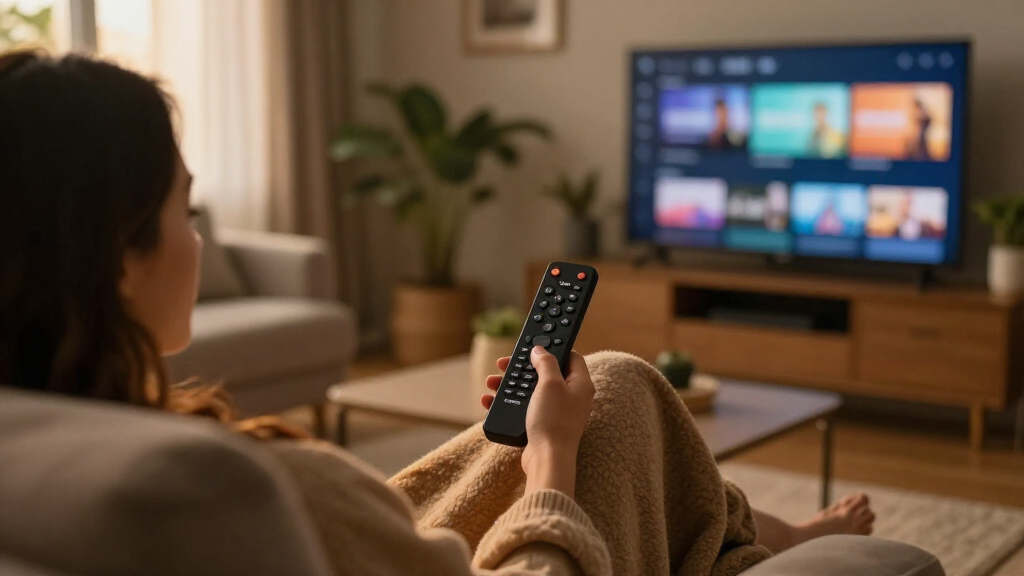
I ranked these Amazon Fire TV streaming devices by how well each one fits a distinct buyer need, rather than treating every 4K model as interchangeable. The main criteria were supported picture quality, expected responsiveness from the device tier, connection and control features, ease of setup, and how much capability a buyer gives up for a smaller or simpler player. I also considered whether Alexa features are useful in everyday viewing or mainly add cost and complexity.
The 4K Max leads as the most balanced choice for a typical compatible TV, while the Cube models rank higher for buyers who value hands-free control and a more capable hub-like player. HD earns its place for older televisions and uncomplicated setups. Bundled, refurbished, and remote-specific listings rank by their narrower appeal: they can suit buyers seeking protection, a particular remote, or a different condition option, but they are less universal picks than a standard current device. Exact listing contents and availability can vary, so I treat those distinctions as part of the buying decision.
| Amazon Fire TV streaming device | Processor | Bluetooth | Ports |
|---|---|---|---|
| Amazon Fire TV Stick 4K Select | Quad-core 1.7 GHz | Bluetooth 5.0 and Bluetooth Low Energy | HDMI output; micro-USB power |
| Amazon Fire TV Stick HD with A | — | — | — |
| Amazon Fire TV Cube | Octa-core: 4 × 2.2 GHz and 4 × 2.0 GHz | — | HDMI 2.1 input and output, IR extender, USB-A 2.0, 10/100 Mbps Ethernet, power |
| Amazon Fire TV Stick 4K Select | — | Bluetooth 5.0 and Bluetooth Low Energy | HDMI output; micro-USB power input |
| Amazon Fire TV Stick 4K | — | Bluetooth 5.2 + BLE | — |
| Amazon Fire TV Stick 4K Plus w | Quad-core, 1.7 GHz | Bluetooth 5.2 + BLE | HDMI 2.1 output with ARC input support; micro USB |
| Amazon Fire TV Stick 4K with A | — | — | — |
| Amazon Fire TV Cube | Octa-core: 4 × 2.2 GHz and 4 × 2.0 GHz | — | HDMI 2.1 input and output, IR extender, USB-A 2.0, Ethernet, and power |
| Amazon Fire TV Cube | — | — | HDMI 2.1 input and output, IR extender, USB-A 2.0, Ethernet, and power |
| Amazon Fire TV Stick 4K Max | Quad-core, 2.0 GHz | Bluetooth 5.2 + BLE | HDMI 2.1 output with ARC input support; micro USB |
Factors to Consider When Choosing Amazon Fire TV Streaming Devices
Before choosing among Amazon Fire TV streaming devices, I’d start with the television and room you already have. The right pick depends on more than a model name: resolution, available ports, Wi-Fi conditions, remote habits, and how much control you want Alexa to have all affect whether an upgrade will feel worthwhile.
Match Resolution to the TV You Own
A 4K streamer can only show its full picture quality when it is connected to a compatible 4K display and the content is available in that format. If your television is 1080p, an HD stick may cover your needs without paying for picture features you cannot see. Check the TV’s actual resolution rather than relying on its age or screen size as a shortcut. Buyers with a 4K television should also check HDR format support across the TV and the streaming services they use. A mismatch may still allow playback, but the result can fall back to a format the whole setup supports. I’d spend extra on a higher-tier player for speed or control only if those benefits matter apart from resolution.
Think About Responsiveness, Not Just Picture Specs
Two devices that both stream 4K can still feel different when opening apps, switching between services, or returning to the home screen. A faster tier is most useful for viewers who use several apps frequently or dislike waiting through menus. Occasional viewers may not gain enough from extra processing power to notice a meaningful difference. Keep in mind that network congestion and an older router can also affect playback, so a more capable streamer cannot fix every buffering problem. Before upgrading hardware, check whether the TV is far from the router or competing with many connected devices. That can point to a Wi-Fi issue rather than a limitation of the Fire TV player.
Choose a Control Style That Fits Your Room
A standard voice remote suits most viewers who are comfortable pointing a remote at the television and using buttons for everyday control. Hands-free Alexa on a Cube changes the interaction: voice commands can be useful when the remote is out of reach or when you want to control compatible smart-home devices. That convenience depends on your comfort with an always-available voice interface and on how you use Alexa already. A remote upgrade may be a better fit if your main frustration is finding or operating the remote rather than controlling the device by voice across the room. Check which remote comes with the exact listing, especially when comparing similarly named Cube or Stick options. Avoid paying for a control feature you will rarely use.
Check Ports, Placement, and Network Conditions
Streaming sticks plug into an HDMI port, so crowded wall-mounted TVs can make fit and access awkward. Before ordering, check where the HDMI inputs sit and whether nearby cables leave room for the device. A Cube takes more shelf space but can suit a setup where a separate player is easier to reach and connect. Network capability matters most when your router supports the relevant standards and the streaming device can receive a dependable signal in its intended spot. A newer Wi-Fi feature offers limited practical benefit if the router is older or the room has a weak connection. Think through power access and cable routing as well, since those small details can make a tidy installation difficult.
Separate Model Value From Listing Extras
A bundle with a protection plan and a like-new refurbished unit are different buying propositions, even when they share a product family with a standard device. For a bundle, read what the plan covers, how long coverage lasts, and what steps are required for a claim. For a refurbished listing, verify the stated condition, included remote and power accessories, and the applicable return or warranty terms. Do not assume that an added plan makes a device faster or changes its streaming features. Likewise, a refurbished model may be a reasonable fit for a secondary television, but buyers who want predictable condition may prefer a standard listing. Compare what is actually included before deciding which option offers better value for your needs.
Plan for More Than Today’s Viewing
It is easy to buy for the main television and overlook how the device will work in a second room or with other household members. A compact Stick can move between compatible TVs more easily, while a Cube is better suited to a dedicated entertainment area with room for a standalone player. Consider whether multiple people need simple app access, whether you rely on voice control, and whether your TV’s remote already handles power and volume. The newest or most capable model is not automatically the best long-term choice if your screen, network, or viewing habits are basic. On the other hand, buying the least capable device can feel limiting if you plan to move it to a 4K television soon. Match the device to the setup you expect to use, not just the one you have today.
Frequently Asked Questions
Should I choose a Fire TV Stick 4K Max or a Fire TV Cube?
I’d choose the 4K Max if you want a compact player and mainly care about streaming on a compatible 4K TV. The Cube is the better fit when hands-free Alexa control and a standalone placement suit your room. Both are aimed at viewers who want more than a basic HD setup, so the decision is about interaction and form factor as much as picture quality. Check the exact Cube listing for its included remote, because the lineup includes different remote configurations. If you rarely use voice commands, the Cube’s extra control approach may not justify choosing it over a Stick.
Is a 4K Fire TV device useful with a 1080p television?
It can stream content to a 1080p television, but the TV cannot display a 4K picture. That means the main resolution advantage of a 4K device will not show up on that screen. A higher-tier model could still make sense if you value its other performance or control features, or plan to move it to a 4K TV soon. For a straightforward setup that will stay on a 1080p display, the Fire TV Stick HD is the more direct match. Check the TV’s specifications before choosing based on its size or age alone.
What should I verify before buying a refurbished or like-new Fire TV device?
Read the condition description carefully and confirm which accessories come with the listing, including the remote and power components. Check the seller’s return conditions and the warranty or coverage terms that apply to that specific refurbished item. Do not assume that a like-new listing includes the same protection as a new-device bundle. A refurbished device can suit a secondary TV or a buyer who is comfortable checking the details before purchase. If you want the clearest coverage expectations and condition description, compare it with a standard listing before deciding.
Does the Fire TV Stick 4K Select bundle work differently from the regular Select?
The bundle’s defining difference is the included two-year protection plan, not a stated change to the Stick’s streaming capabilities. That plan may appeal if you value added coverage, but its usefulness depends on the terms, exclusions, and claims process. Read those details rather than assuming every repair or replacement situation is covered. Compare the bundle contents with the standalone Select listing to confirm whether the same remote and accessories are included. If you do not need the additional coverage, the standard device listing may be the simpler choice.
Which Fire TV device is the simplest choice for someone new to streaming?
For a 1080p television and basic app viewing, I’d start with the Fire TV Stick HD because it avoids paying for 4K features the TV cannot show. Someone with a 4K television can choose a 4K Stick instead without needing the larger Cube form factor. The main setup questions are whether the TV has a free HDMI port, whether Wi-Fi reaches it reliably, and whether the viewer prefers a standard remote or voice control. I’d keep the first setup simple and add a higher-tier device only when a specific limitation appears. That approach avoids buying extra capabilities before the viewer knows they need them.
Conclusion
For most 4K households, I recommend the Fire TV Stick 4K Max (2nd Gen) as the best overall balance of compact design and higher-tier streaming performance. The Fire TV Stick HD is my best-value fit for a 1080p TV and a straightforward setup, while the Fire TV Cube (3rd Gen) is the best premium choice for viewers who want hands-free Alexa and a more capable home-theater player. Beginners should start with an HD Stick for a 1080p screen or a standard 4K Stick for a 4K screen, rather than buying features they will not use. For a specific need, choose the Select bundle if its protection terms suit you, or a like-new model only after checking condition and coverage. The best choice is the one that matches your television, room, and control habits—not simply the most feature-heavy device.
NFL season / tailgating Picks
team gear
As an affiliate, we earn on qualifying purchases.